Cloudflare Pages Guide: Deployment, Limits, and When to Use It
Learn when Cloudflare Pages fits a static site, how to configure builds and Functions, and which deployment limits to verify.
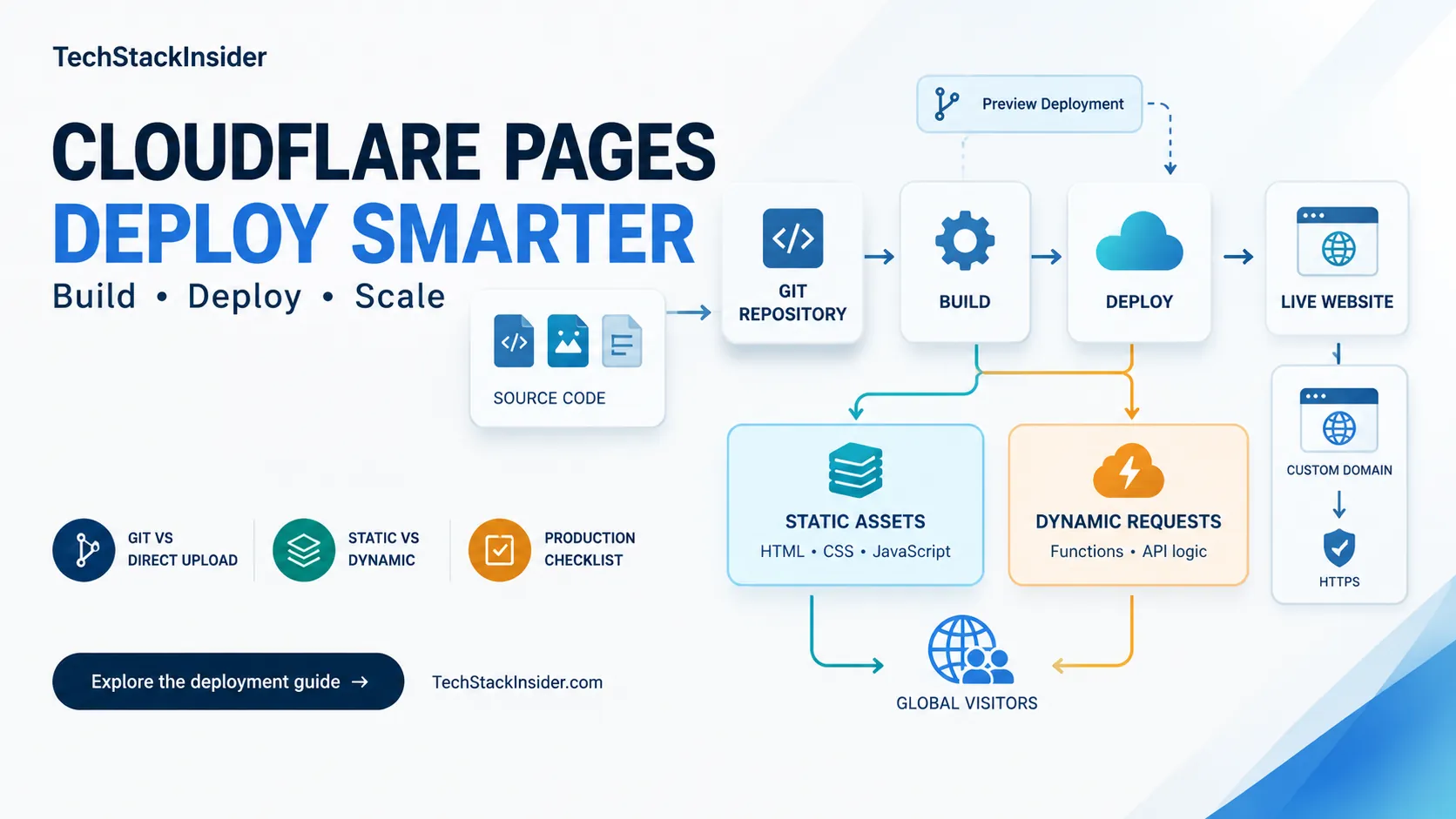
Cloudflare Pages deploys built website assets and can run request-time code through Pages Functions. It is worth considering when static output covers most of the application and its build, preview, and domain workflows fit the team. If the application depends on server behavior, verify the runtime path before choosing a hosting model.
The decision is not just whether Pages can build your framework. Check whether its deployment model, runtime APIs, limits, and operational workflow fit the application you intend to run.
Is Cloudflare Pages right for your project?
| Requirement | Starting point to evaluate | Why it may fit |
|---|---|---|
| Blog, documentation, marketing site, or portfolio | Pages | A generated directory of static assets may be enough |
| Astro site or static frontend | Pages | The framework build can produce files for static delivery |
| Frontend with a few request-time endpoints | Pages with Functions | Functions add server-side handlers where the runtime and routing fit |
| New static site, SPA, or full-stack project on Cloudflare | Workers Static Assets | Cloudflare recommends Workers for new projects; it supports static assets and can also run application code |
| Application using Node-specific packages or framework server features | Validate Workers/Pages runtime support or compare another host | A successful build does not establish runtime compatibility |
Decision rule: use static output when it meets the actual requirements. Add request-time execution only for capabilities the project needs, and verify that those capabilities work in the selected runtime.
Cloudflare’s Workers guidance recommends Workers Static Assets for new static, SPA, and full-stack projects. Pages remains available; this recommendation means a new project should evaluate Workers as its starting point, not that every existing Pages project needs to migrate.
How a Pages deployment works
A common build-and-deploy flow is:
- Source code lives in a repository or is built in another environment.
- A build command generates the deployable files.
- The selected deployment workflow uploads those files to Pages.
- A production deployment serves the published site; Git integration can also create previews for eligible branches and pull requests.
- If Functions are configured for matching paths, those requests execute server-side code.
The build and the production runtime are separate checks. Pages marks a build based on the exit status of the configured build command; a zero exit status does not prove that every route, asset, environment variable, or runtime dependency behaves correctly after deployment. See Pages build configuration.
Pages and Workers are different deployment choices
Pages is a website deployment model with static assets and optional Pages Functions. Workers Static Assets combines static asset delivery with the option to run a Worker for application logic. Both can serve assets; the choice depends on project setup, framework compatibility, and whether request-time code is required.
| Decision factor | Pages | Workers Static Assets |
|---|---|---|
| Starting model | Pages project for a website, optionally with Functions | Worker project with an assets directory; Worker code can be added for application logic |
| Request-time code | Pages Functions using the Workers runtime | Worker handler using the Workers runtime |
| Best first question | Does the existing Pages build and deployment model meet the requirements? | For a new Cloudflare project, does the Workers model fit the site’s static and runtime needs? |
This comparison is about deployment models, not a claim that one product supports every feature the other lacks. Check the current Workers documentation and the framework’s deployment guide before choosing. For another view on hosting requirements, see the site’s Vercel vs Netlify comparison.
Choose Git integration or Direct Upload early
Cloudflare documents that a Pages project cannot switch from Git integration to Direct Upload or from Direct Upload to Git integration as a simple project setting. If you need the other project type, you may need to create a new project and migrate. See the Git integration and Direct Upload documentation.
Git integration
Git integration connects a GitHub or GitLab repository to builds and deployments. It can create preview deployments and pull-request status checks for supported repository workflows. Before enabling it, confirm the production branch, project root, build command, output directory, and environment variables.
Choose this when you want deployments linked to source changes and a reviewable preview workflow. Cloudflare also supports Workers builds from Git repositories, so a Git workflow alone does not decide whether the project should use Pages or Workers.
Direct Upload
Direct Upload publishes prebuilt assets using Wrangler or the dashboard’s drag-and-drop flow. It can fit a project whose build runs in a separate CI system or on a developer’s machine.
There is a Functions limitation to account for: dashboard drag-and-drop does not compile and deploy a functions/ directory. Cloudflare documents Wrangler as a deployment method for projects using that directory. Pick a compatible workflow before relying on Functions.
Configure the framework build
Build commands and output directories vary by framework and mode. The current Pages build configuration table includes these examples:
| Framework / mode | Example build command | Example output directory |
|---|---|---|
| Astro | npm run build | dist |
| React with Vite | npm run build | dist |
| Next.js static export | npx next build | out |
Use these as starting values and confirm the actual project configuration. An Astro adapter, monorepo root, custom build script, or non-static framework mode can change the required setup.
Before deployment, verify:
- The project root contains the intended application, especially in a monorepo.
- The build command succeeds from that root in the deployment environment.
- The output directory contains the expected HTML and assets.
- Required build-time variables are set for preview and production separately.
- The selected framework mode produces static files or uses a compatible runtime.
- Generated CSS, JavaScript, images, fonts, and deep links resolve as expected.
Static output and Pages Functions
Static pages are generated at build time and served as files. A request-time operation—such as processing a form, returning personalized data, or handling an API path—needs server-side code or an external service.
Pages Functions run on the Workers runtime. In the standard file-based model, put the functions/ directory at the root of the project, not inside the static output directory such as dist/. Function file paths define routes; advanced mode can use _worker.js instead. The runtime is based on web APIs and supports a subset of Node.js APIs, so verify package compatibility and configure the project’s compatibility settings and bindings. See Pages Functions and getting started with Functions.
For example, a site might serve its documentation as static HTML, send form submissions to a Function, and use a configured storage or database binding for the operation. Keep secrets in the appropriate environment configuration and test the Function path in the same deployment workflow you plan to use.
Previews, production, domains, and HTTPS
Use preview deployments to review changes before release when the chosen workflow supports them. Test navigation, deep links, forms, API calls, assets, and environment-specific behavior. A preview does not prove production settings are correct.
Before production release, identify the production branch and who can publish it. Check automatic deployment controls and any paused build settings. Then follow Cloudflare’s custom-domain instructions: verify the domain status and DNS setup, test HTTPS, check every intended hostname (such as apex and www), and test important routes rather than only the homepage.
Redirects and Functions
Pages reads static redirects from a plain-text _redirects file in the deployable asset directory. In a project using a public/ directory, that file is normally copied into the built output. A basic permanent redirect is:
/old-page /new-page 301Rules support status codes, wildcards, and placeholders within documented limits. One important exception: _redirects rules do not apply to requests served by Pages Functions. If a Function handles a matching route, implement the required behavior in the Function or adjust the routing design. Check the redirect documentation, then verify the complete path, final status, and canonical destination to avoid loops and extra hops.
Published limits to check
Cloudflare’s Pages limits documentation currently lists these values for Free, Pro, and Business plans:
| Limit | Free | Pro | Business |
|---|---|---|---|
| Concurrent builds | 1 | 5 | 20 |
| Builds per month | 500 | 5,000 | 20,000 |
The same documentation lists custom-domain limits per Pages project as 100 for Free, 250 for Pro, and 500 for Business and Enterprise. File counts are 20,000 on Free; paid plans can reach 100,000 files when PAGES_WRANGLER_MAJOR_VERSION=4 is set in project settings. Builds time out after 20 minutes, and a single site asset can be at most 25 MiB.
These are capacity limits, not performance guarantees or a complete estimate of application costs. Requests handled by Pages Functions count toward Workers-plan usage. Check the limits and applicable plan terms again before making a capacity or cost decision; the Cloudflare plans page describes current plan offerings.
Troubleshoot by symptom
Treat the causes below as hypotheses to verify.
| Symptom | Check first | Next step |
|---|---|---|
| Build fails | Earliest actionable error, command, project root, variables, and runtime version | Fix the cause, then rerun the same build locally and in a preview |
| Deployment succeeds but a route is missing | Build output directory and generated route files | Correct the output setting or framework configuration |
| CSS, images, or scripts return 404 | Generated HTML paths, base URL, and whether files exist in the output | Correct asset paths and rebuild |
| Works locally but fails after deploy | Environment differences and unsupported runtime dependencies | Compare preview variables and runtime compatibility; inspect logs |
| Preview works but production fails | Production branch settings, production variables, and host/domain configuration | Compare environments without exposing secrets |
| Custom domain does not load | Pages domain status and DNS configuration | Follow the custom-domain setup and test HTTPS again |
| Redirect does not run | Rule syntax/order and whether a matching Function serves the request | Inspect the built _redirects file or implement the behavior in the Function |
| Function endpoint fails | Route mapping, runtime API compatibility, bindings, secrets, and logs | Isolate the failing dependency or configuration and retest in preview |
Use a repeatable sequence: reproduce with the intended build configuration, inspect the first meaningful log error, confirm generated files, verify runtime variables and bindings, then test the failing route in a preview. Change one relevant setting at a time so the result is interpretable.
Production-readiness checklist
- The production build succeeds with the intended root, command, and output directory.
- Required environment variables are set for the correct environment.
- Preview routes, assets, forms, and Functions have been reviewed.
- Production branch and automatic deployment controls are understood.
- Custom domains, HTTPS, deep links, redirects, and canonical URLs are verified.
- Framework and runtime requirements match the selected deployment model.
- Current limits and any Functions usage costs have been checked.
- The team knows how to inspect a bad deployment and use the rollback workflow.
Pages supports deployment rollbacks; understand the rollback process before a release issue occurs. A deployment rollback does not automatically undo changes made to external services or application data.
Cloudflare Pages, Vercel, and Netlify
There is no universal platform winner. Compare the platforms against the same application requirements: framework mode, server-side needs, build and preview workflow, limits, observability, and recovery. The Vercel vs Netlify guide covers that platform comparison; include Pages or Workers in your own evaluation when they fit the candidates. Avoid choosing on a generic speed or price claim without testing your workload and checking current plans.
Recommendation
Cloudflare Pages can suit static websites and frontends when its build workflow and optional Functions meet the requirements. For new Cloudflare projects, evaluate Workers Static Assets as the current recommended starting point. In either case, validate the complete preview and production path, verify runtime compatibility, and check published limits before committing to the architecture.
Frequently Asked Questions
Is Cloudflare Pages a good fit for an Astro site?
It can be a good fit when the Astro project generates static output. A common configuration uses npm run build and dist, but confirm those values against the project's adapter and build settings.
When do I need Pages Functions?
Use a Function when a request needs server-side work, such as processing a form or serving an API endpoint. Verify runtime APIs, bindings, and deployment method first.
Can I change from Git integration to Direct Upload later?
Cloudflare documents that a Pages project cannot switch between Git integration and Direct Upload as a project setting. Choose the deployment type early; changing it may require a new project and migration.
Does a successful Pages build prove my site works?
No. A successful build confirms the build command returned a successful exit code. Test deployed routes, assets, environment-specific behavior, and runtime functions separately.
When should I evaluate Workers?
Cloudflare recommends Workers Static Assets for new static and full-stack projects. Evaluate that model when starting a new project, while checking whether an existing Pages workflow still fits your requirements.
Related Articles
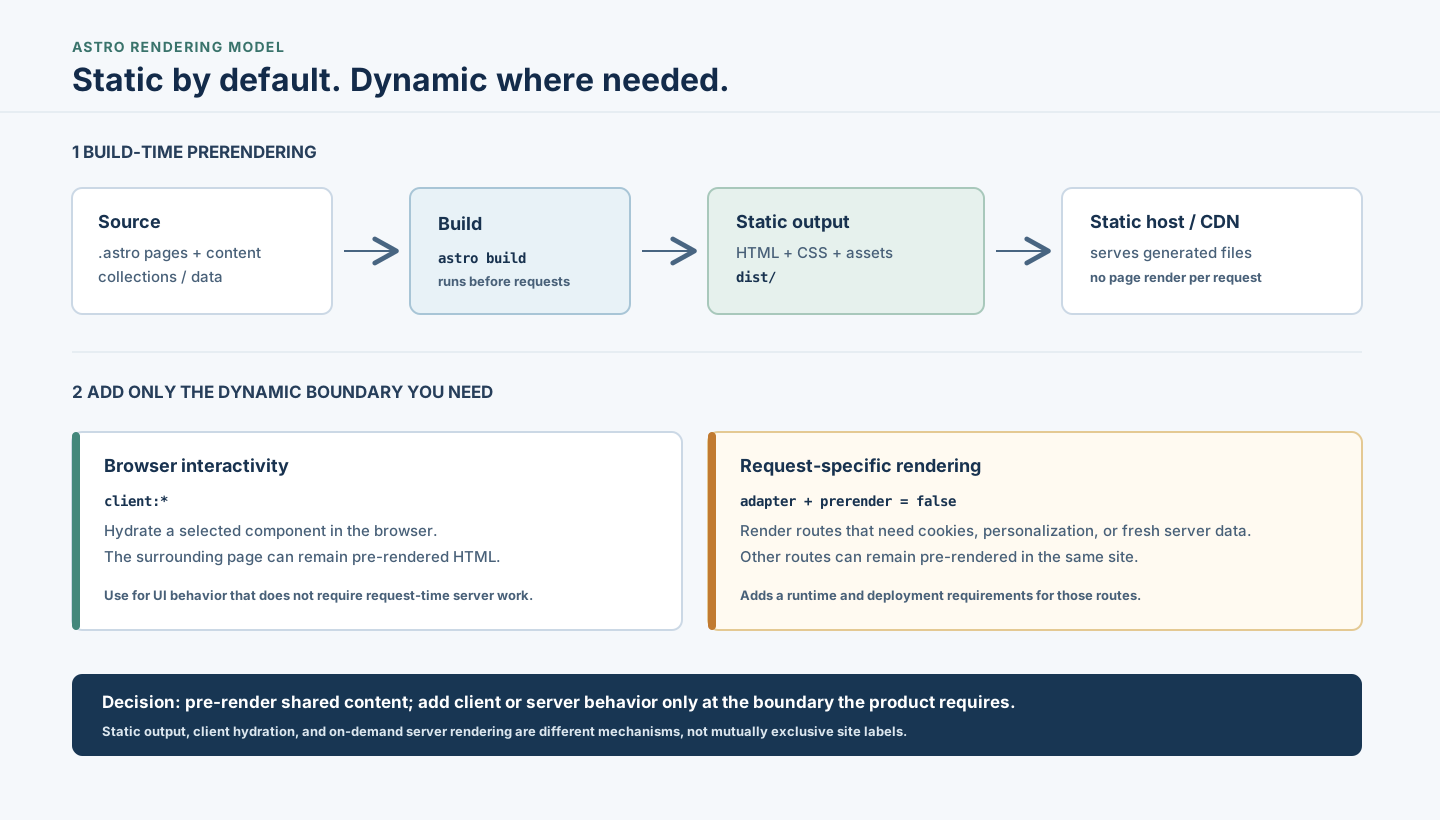
Astro Static Sites: When to Prerender or Use a Server
Understand when Astro's static-first approach fits, how builds and islands work, and when request-time rendering or another architecture is warranted.
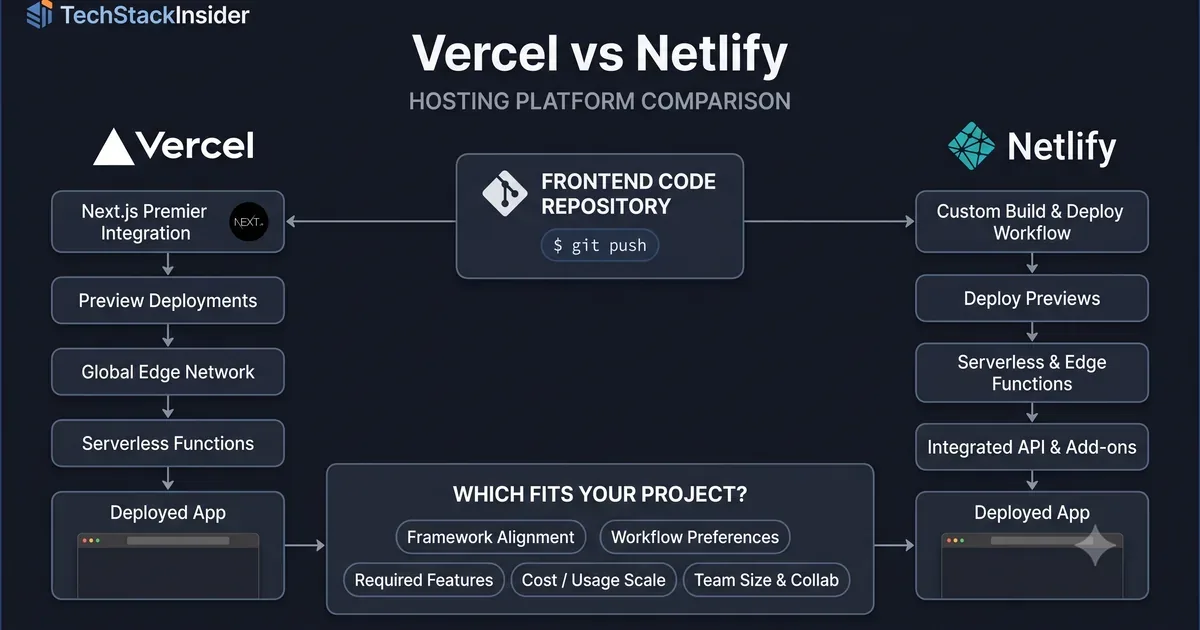
Vercel vs Netlify: Hosting Platform Comparison
Compare Vercel and Netlify for frontend deployment, developer experience, framework support, functions, pricing, and project requirements.
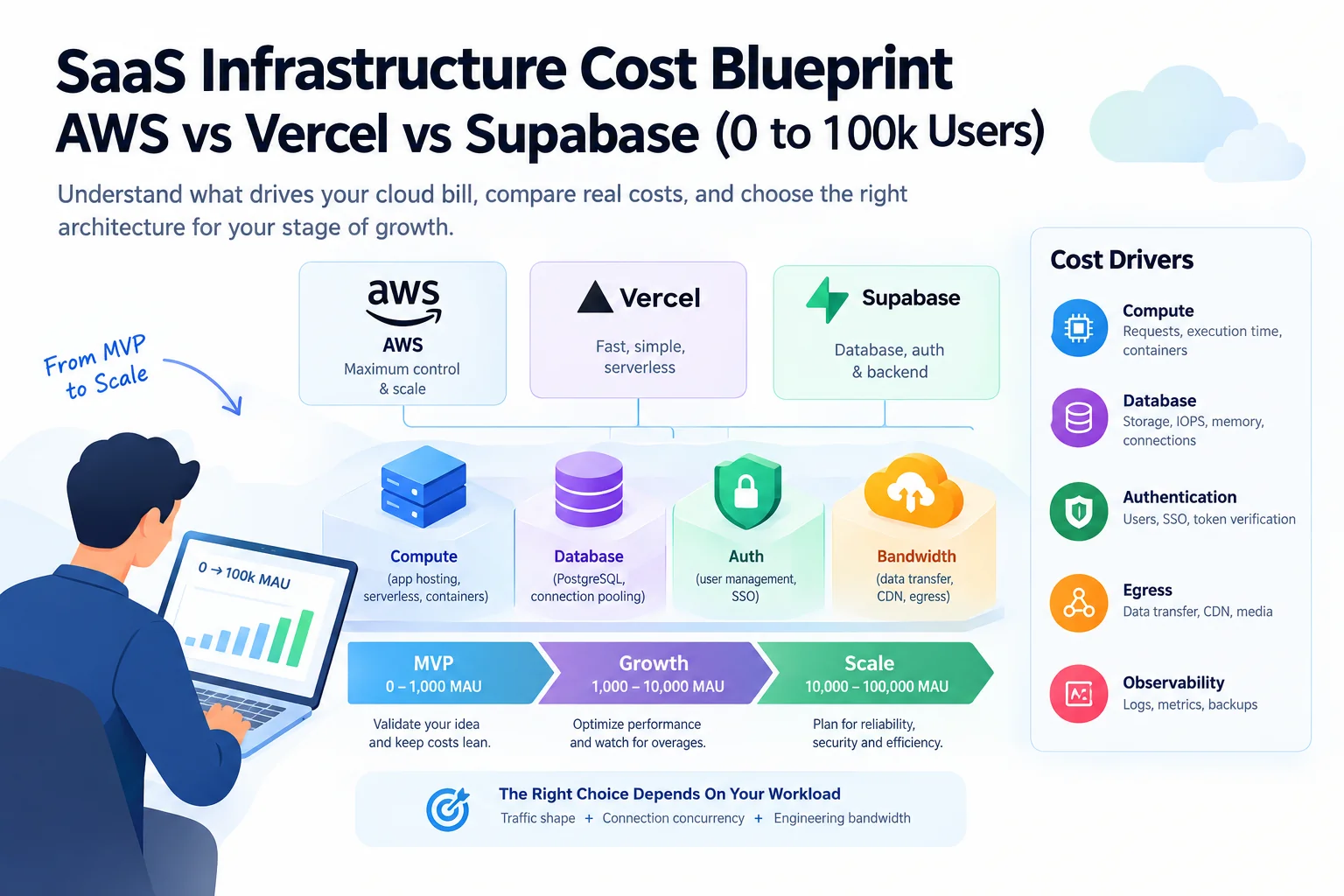
How Much Does SaaS Infrastructure Cost? A Practical Guide from MVP to Growth
Understand SaaS infrastructure costs as your product grows. Compare AWS, Vercel, and Supabase, identify hidden cost drivers, and decide when your architecture needs to change.