Supabase vs Firebase: Database, Architecture, Pricing, and Scalability Compared
Compare Supabase vs Firebase across databases, APIs, authentication, mobile backends, pricing, security, and scalability to choose the right BaaS platform.
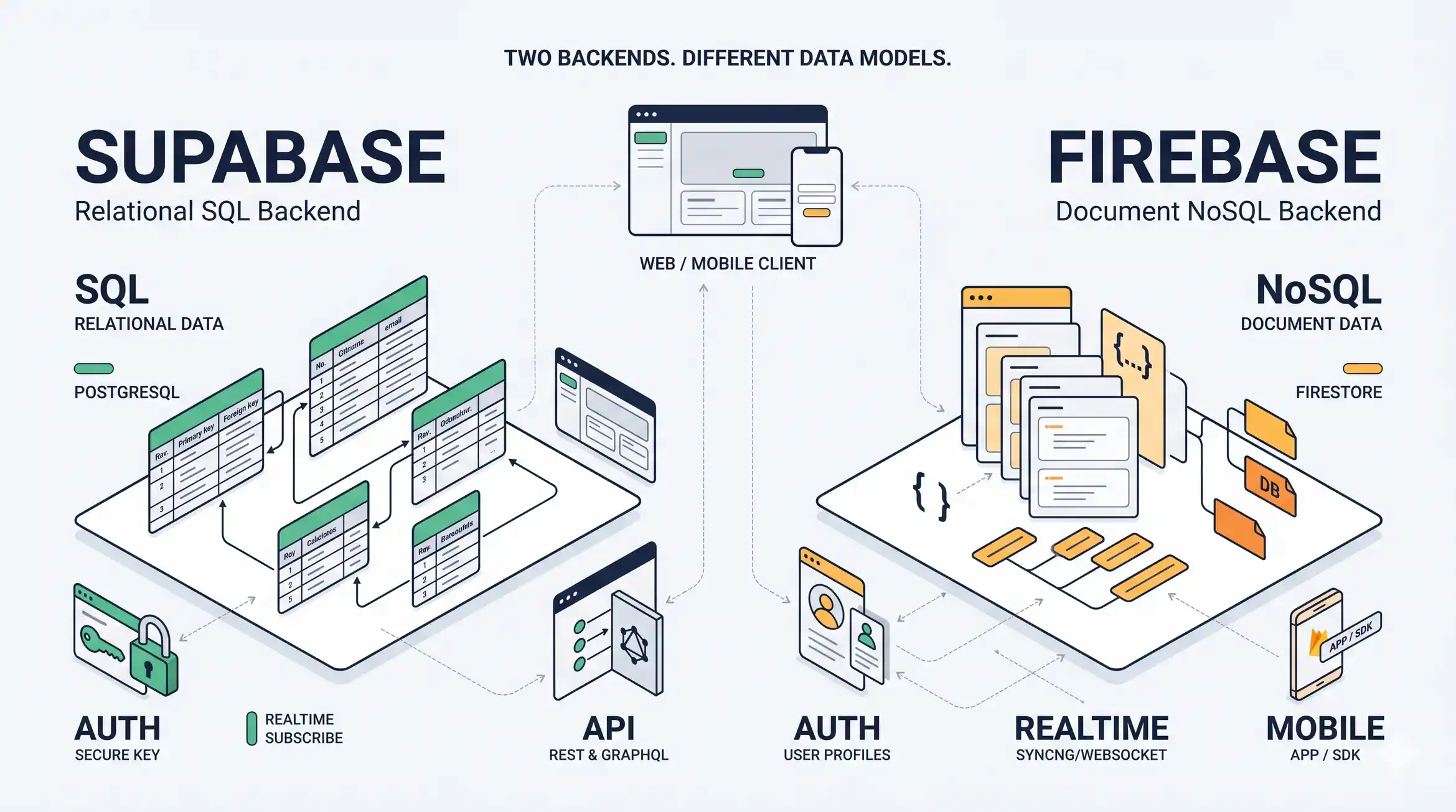
Supabase and Firebase both help developers build applications without having to create every backend service from scratch. Both offer managed building blocks for data, authentication, and application development, but their underlying approaches create different trade-offs.
The central decision is whether your application benefits more from PostgreSQL and relational data, or from Firebase’s document database and integrated application ecosystem.
This comparison explains how those differences affect architecture, security, mobile development, deployment, cost, and long-term maintenance.
Supabase vs Firebase: Quick Comparison

Supabase
PostgreSQL-first backend
A strong candidate for relational applications, SQL queries, connected business entities, and teams that want PostgreSQL capabilities.
- Relational database
- SQL and database constraints
- Authentication, storage, and realtime
- Self-hosting option

Firebase
Integrated application platform
A strong candidate for applications that fit its document database, mobile SDK ecosystem, offline capabilities, and Google-backed services.
- Cloud Firestore and Realtime Database
- Client SDKs and authentication
- Offline persistence with supported services
- Integrated application services
| Decision factor | Supabase | Firebase |
|---|---|---|
| Database | PostgreSQL | Cloud Firestore and Realtime Database |
| Data model | Relational tables | Documents and collections, or JSON-like data |
| Query approach | SQL and relational queries | Database-specific query APIs |
| Authentication | Supabase Auth | Firebase Authentication |
| Realtime | PostgreSQL changes and realtime messaging | Firestore listeners and Realtime Database synchronization |
| Mobile development | Client libraries and APIs | Extensive mobile SDK ecosystem |
| Offline-first support | Requires an appropriate client-side synchronization design | Firestore supports offline persistence on supported clients |
| Backend functions | Edge Functions and database functions | Cloud Functions for Firebase and related services |
| Self-hosting | Supported, with operational responsibilities | No equivalent self-hosted Firebase platform |
| Cost drivers | Plan, compute, storage, bandwidth, and usage | Product-specific operations, storage, bandwidth, and usage |
| Initial fit | SQL-oriented SaaS and relational applications | Mobile-focused products and applications fitting Firebase’s ecosystem |
Neither platform wins every category. Use the comparison to identify which platform deserves a closer technical evaluation.
What Is Backend-as-a-Service (BaaS) Architecture?
A conventional backend can require developers to build APIs, configure authentication, provision databases, manage file storage, and operate servers.
A backend-as-a-service platform provides managed capabilities that reduce some of this work. The application still needs architecture, access controls, business logic, testing, and operational planning.
Explainer card: How BaaS works
The exact request flow varies by service. Sensitive operations should execute in a trusted environment, and every data access path needs appropriate authorization.
BaaS does not mean “no backend engineering.” You still need to decide:
- Where business rules should execute.
- How user and organization permissions work.
- How data is structured and queried.
- Where private credentials are stored.
- How backups and recovery work.
- How performance and costs change with traffic.
- How the application responds when a service fails.
Decision rule: Choose BaaS to reduce routine infrastructure work, not to avoid designing the system.
Supabase vs Firebase Database: Data Models and Query Capabilities
The database is one of the most important differences between these platforms.
Supabase uses PostgreSQL. Firebase offers Cloud Firestore and Firebase Realtime Database, which have different data models and query behavior.
Explainer card: Relational data
Related records connect through keys. SQL can query these relationships together.
Fits: SaaS, reporting, connected business data.
Explainer card: Document data
Documents are organized around the application’s retrieval patterns. Related data may require additional queries or duplication.
Fits: Document-oriented application workflows.
When PostgreSQL fits
Consider a SaaS product with organizations, users, subscriptions, invoices, and permissions.
These entities have relationships. An invoice belongs to an organization or customer, a subscription has a lifecycle, and access depends on membership and roles.
PostgreSQL supports tables, primary keys, foreign keys, constraints, transactions, and SQL queries. Supabase makes these capabilities available alongside its managed backend services.
For example:
SELECT
  organizations.name,
  subscriptions.status
FROM organizations
JOIN subscriptions
  ON subscriptions.organization_id = organizations.id
WHERE organizations.id = $1;
This type of relational query can be useful when a product needs connected data, reporting, and integrity constraints.
When a document database fits
Cloud Firestore stores data in documents organized into collections. It can work well when the application has predictable access patterns and the data can be shaped around the documents clients need.
However, a relational query may not translate directly into one Firestore query. Depending on the requirements, developers may need additional queries, indexes, denormalized data, or application-level coordination.
Firebase Realtime Database is a separate product with a JSON-like data model and its own synchronization behavior.
Database decision rule
- Prefer evaluating Supabase when SQL, relational integrity, joins, and reporting are central.
- Consider Firestore when document-oriented access patterns fit the application.
- Evaluate Realtime Database separately if its synchronization model matches the requirement.
- Test representative queries before committing to the data model.
Do not choose a database solely because its initial setup looks easier.
Supabase vs Firebase: API Architecture and Backend Development
Both platforms provide client libraries and APIs. The important architectural question is where the application should enforce business rules and security.
Explainer card: The trust boundary
Client side
- Display data
- Collect user input
- Call authorized APIs
Trusted server side
- Protect secrets
- Verify payments
- Run privileged operations
A browser or mobile app is not a trusted environment for private credentials. Public client configuration must still be protected by enforceable access policies.
Supabase API architecture
Supabase combines PostgreSQL with authentication, storage, realtime functionality, and Edge Functions.
Its database-backed APIs can reduce the need to build a custom endpoint for every data operation. However, database access must be restricted using appropriate permissions and Row Level Security (RLS) policies.
Sensitive operations may need a trusted server-side function instead of direct client access.
Firebase API architecture
Firebase client SDKs integrate with services such as Firestore and Authentication. Developers can also use Cloud Functions for Firebase and other Google Cloud services for trusted backend logic.
This can simplify supported workflows, but application code may become closely coupled to Firebase-specific APIs, security rules, and services.
Where should business logic run?
Use a trusted backend environment for operations such as:
- Processing payments and verifying payment webhooks.
- Using private third-party API credentials.
- Performing privileged administrative actions.
- Applying business rules that must not be controlled by the client.
- Coordinating workflows across external services.
Decision rule: Prefer the architecture that makes authorization boundaries explicit and straightforward to test.
Supabase vs Firebase Authentication and Security
Authentication answers, “Who is this user?” Authorization answers, “What is this user allowed to do?”
Both platforms support authentication workflows, but the application still needs an explicit authorization model.
Authentication
The user signs in. The system establishes an identity.
Authorization
The system checks what that identity is permitted to access.
A production security design should cover identity providers, account recovery, permissions, secret storage, request validation, and monitoring.
With Supabase, test PostgreSQL permissions and RLS policies against realistic roles and record ownership scenarios. Never expose privileged secret keys to browser or mobile clients.
With Firebase, configure security rules to restrict access to the correct documents and operations. Being authenticated does not automatically mean a user should be allowed to read or modify every record.
Decision rule: Choose the security model your team can implement, review, and test correctly. A built-in authentication service does not make an insecure application secure.
Firebase vs Supabase for Mobile Backend Development (mBaaS)
Mobile applications may need offline access, background synchronization, push notifications, analytics, and device-specific integrations.
Explainer card: What happens when the phone goes offline?
User edits data
Sync when supported
Stores updates
Offline behavior is a product requirement, not just a database feature. Conflict resolution, local storage, retries, and synchronization must be tested.
Firebase Firestore supports offline persistence on supported mobile and web clients. When connectivity returns, local changes synchronize according to Firestore’s documented behavior, including last-write-wins for conflicting updates to the same document in relevant scenarios.
Supabase can also serve mobile applications. However, applications that require offline-first behavior need an appropriate client caching and synchronization design.
Before choosing, test offline edits, concurrent changes, session expiration, device loss, and synchronization after reconnection.
Firebase may reduce integration work for a mobile product that relies heavily on its ecosystem. Supabase may be a better fit when the mobile application’s data is strongly relational.
Supabase vs Firebase: Cloud Deployment and Hosting
Frontend hosting and backend hosting are separate decisions.
A web frontend can be deployed on one platform and connect to a managed backend elsewhere. For example, a static frontend can use Cloudflare Pages while accessing a suitable backend through authorized APIs.
Explainer card: Separate frontend and backend
Pages and interface
Data and business logic
Separate deployment can improve flexibility, but authentication callbacks, environment variables, network access, and secrets must be configured correctly.
Supabase’s managed service reduces the need to operate PostgreSQL infrastructure. Its self-hosted option provides more infrastructure control, but the operator is responsible for updates, security, backups, monitoring, availability, and scaling.
Firebase follows a managed-service model across its products, each with its own configuration and billing requirements.
Do not compare deployment options by setup time alone. Include the ongoing work required to maintain a reliable production environment.
Database Scalability: Supabase vs Firebase
Neither platform automatically guarantees performance at every scale. Results depend on the workload, data model, indexes, query patterns, region, service limits, and infrastructure configuration.
Supabase scaling checks
- Query plans and indexes
- Database compute and connections
- Long-running transactions
- Backups and recovery
- Read and write bottlenecks
Firebase scaling checks
- Document read and write patterns
- Indexes and query design
- Hotspots and data distribution
- Realtime listeners and data transfer
- Service quotas and billing
A PostgreSQL application may need query optimization, connection management, or more compute as traffic grows. A Firestore application may need better document design, indexes, fewer unnecessary reads, or changes to its data distribution.
Measure response latency, throughput, errors, resource use, and cost under representative concurrency. Include peak usage and failure scenarios.
Decision rule: Scale in response to measured bottlenecks rather than generic claims about which platform scales better.
Supabase vs Firebase Pricing: Which Backend Is Cheaper?
Neither platform is universally cheaper. The total cost depends on how the application uses the database and other services.
Supabase costs can include plan fees, database compute, storage, bandwidth, and usage-dependent services. Firebase uses product-specific pricing and quotas; Firestore costs can depend on document operations, storage, indexes, and network usage.
Check the current official pricing documentation before estimating costs:
MVP
Estimate minimum production resources, database size, authentication, storage, and baseline traffic.
Growth
Estimate active users, query frequency, data transfer, storage growth, and background jobs.
Peak traffic
Estimate high-concurrency usage, realtime updates, bursts, and the capacity needed for reliability.
A small SaaS with relational data may favor Supabase’s development model. An application with access patterns that fit Firestore may benefit from Firebase. Neither conclusion establishes the cheaper bill without a workload estimate.
For a fair comparison, use the same expected traffic, data volume, uptime needs, and required features. Include operational effort, monitoring, backups, and the cost of services outside the database.
Supabase vs Firebase for Node.js and Microservices
Both platforms can be integrated into Node.js applications.
Supabase offers JavaScript client libraries, PostgreSQL access patterns, and Edge Functions. Firebase offers JavaScript SDKs, server-side integration options such as the Firebase Admin SDK, and Cloud Functions for Firebase.
The key question is not simply whether a platform supports Node.js. It is whether the data model, execution environment, and service integrations fit the application’s requirements.
Do you need microservices?
A BaaS platform does not require you to begin with microservices.
A small SaaS can often start with a well-structured application and managed backend services. Splitting it into multiple services too early can add deployment pipelines, network calls, monitoring requirements, authorization boundaries, and failure modes.
Consider separate services when there is a concrete reason: independent scaling needs, distinct security boundaries, separate reliability requirements, or independent team ownership.
For workflows that span several services, plan for retries, idempotency, partial failure, and recovery. Neither platform automatically provides distributed transactions across arbitrary external services.
Supabase vs Firebase for Frontend, Apps, and IoT Devices
Frontend integration should be evaluated alongside security and application behavior. Public clients can use supported SDKs to access authorized functionality, but must not receive privileged credentials.
IoT applications add further requirements: device identity, credential rotation, intermittent connectivity, message frequency, data retention, and fleet management.
Explainer card: An IoT data path
Collects readings
Verifies device
Stores and processes
Supabase or Firebase may handle parts of an IoT architecture, but device provisioning, fleet management, ingestion, and processing may require additional services.
Alibaba Cloud may be relevant when a product has specific regional, enterprise, or ecosystem requirements. It is a broader cloud provider, not a direct like-for-like replacement for every Firebase or Supabase capability. Compare the actual services needed rather than treating all providers as equivalent.
How to Design a Backend Architecture Diagram
A useful backend diagram shows more than a frontend connected to a database. It identifies the data flows, trust boundaries, privileged operations, and external dependencies.
Example: Supabase architecture
Web / Mobile Client
        |
        v
Authentication
        |
        v
Authorized API / RLS Policies
        |
        v
PostgreSQL Database
        |
        +------> Realtime
        |
        +------> File Storage

Trusted Server / Edge Functions
        |
        +------> Payment Provider
        |
        +------> External APIs
Example: Firebase architecture
Web / Mobile Client
        |
        v
Firebase Authentication
        |
        v
Firestore / Realtime Database
        |
        +------> Security Rules
        |
        +------> Realtime Listeners

Cloud Functions / Trusted Backend
        |
        +------> External APIs
        |
        +------> Payments and Notifications
These are conceptual examples, not complete production designs. The actual diagram should show the selected services, authentication flow, authorization rules, secret storage, backups, monitoring, and failure handling.
Supabase vs Firebase: Migration and Vendor Lock-In
A backend decision affects the database schema, client code, authentication, access rules, realtime behavior, and operational procedures.
Moving from Firestore to PostgreSQL may require converting documents into relational tables, resolving relationships, rewriting queries, and changing application code. Moving from PostgreSQL to a document model may require denormalizing data and redesigning access patterns.
Authentication migration can also require careful handling of user identities, password flows, identity providers, sessions, and account recovery.
Before committing, document:
- Which features depend on platform-specific SDKs.
- How application data can be exported and restored.
- Whether the data model can be migrated without changing core business rules.
- How much downtime a migration can tolerate.
- How user identities and authentication will be transferred.
- Which managed services need replacements.
Supabase self-hosting provides an additional deployment option, but it transfers significant operational responsibility to the team. It does not guarantee that every managed feature is portable.
Firebase’s integrated ecosystem can reduce infrastructure work, but deeper use of platform-specific services can increase migration effort.
The goal is not to eliminate all vendor dependence. It is to understand the dependencies and make a deliberate trade-off.
Supabase vs Firebase: Decision Matrix
Use this matrix to identify the first platform worth evaluating. Validate the final decision with a proof of concept.
| Application requirement | Initial platform to evaluate | Reason |
|---|---|---|
| SaaS with related entities and reporting | Supabase | PostgreSQL supports relational queries and constraints |
| Application built around SQL | Supabase | SQL is central to the data layer |
| Mobile-first application using Firebase services | Firebase | Existing SDKs may reduce integration work |
| Offline-first mobile workflows | Firebase / Firestore | Supported offline persistence may fit the requirement |
| Team needs a self-hosted backend | Supabase | Self-hosting is supported, with operational responsibilities |
| Document-oriented data and predictable queries | Firebase / Firestore | The data model may align naturally with document access |
| Complex reporting across related data | Supabase | Relational querying may simplify implementation |
| IoT or high-volume event ingestion | Evaluate the complete architecture | Device management and ingestion may need additional services |
| Uncertain workload and future growth | Test both where practical | Performance and cost cannot be inferred from platform names alone |
This is a shortlist, not a benchmark. Your actual data model, security requirements, and workload determine the final choice.
Final Verdict: Which Backend Platform Should You Choose?
Choose Supabase when PostgreSQL, SQL queries, relational integrity, and control over the data model are central to your application. It is a strong candidate for SaaS products with organizations, subscriptions, reporting, and connected business entities.
Choose Firebase when its mobile SDK ecosystem, Firestore data model, offline capabilities, and integrated services align closely with your application’s requirements.
Evaluate both when your product is realtime-heavy, has uncertain usage patterns, or relies on integrations that could significantly affect cost and operational complexity.
Before committing, implement one representative data model, one authenticated workflow, one authorization rule, and one important query. Test expected usage and estimate the cost of the services you will actually need.
The better backend is the one that meets your application’s data, security, performance, and operational requirements with the least unnecessary complexity—not necessarily the one that is quickest to connect on day one.
Frequently Asked Questions
Is Supabase better than Firebase?
Supabase is often a better fit for relational data, SQL, and PostgreSQL. Firebase may be a better fit for applications that benefit from its mobile SDKs, offline data capabilities, and Google ecosystem. The right choice depends on the application's requirements.
Which is cheaper, Supabase or Firebase?
Neither platform is universally cheaper. Compare database compute, operations, storage, bandwidth, and required services using the same workload assumptions and current pricing.
Can Supabase replace Firebase?
Supabase can replace several Firebase backend capabilities, but a complete migration may require replacing Firebase-specific SDKs, offline behavior, messaging, analytics, authentication flows, and other integrations.
Is Supabase suitable for mobile applications?
Yes. Supabase supports mobile applications through its client libraries and backend services. Test offline requirements, synchronization, authorization, and platform-specific integrations before choosing it.
Can Supabase be self-hosted?
Yes. Self-hosting is supported, but the operator becomes responsible for infrastructure, updates, security, backups, monitoring, availability, and scaling.
Which backend is better for a SaaS application?
Supabase is a strong candidate for SaaS products with relational data and SQL requirements. Firebase can also work well when its data model and services fit the product. Evaluate data access patterns, security, operations, and cost.
Related Articles
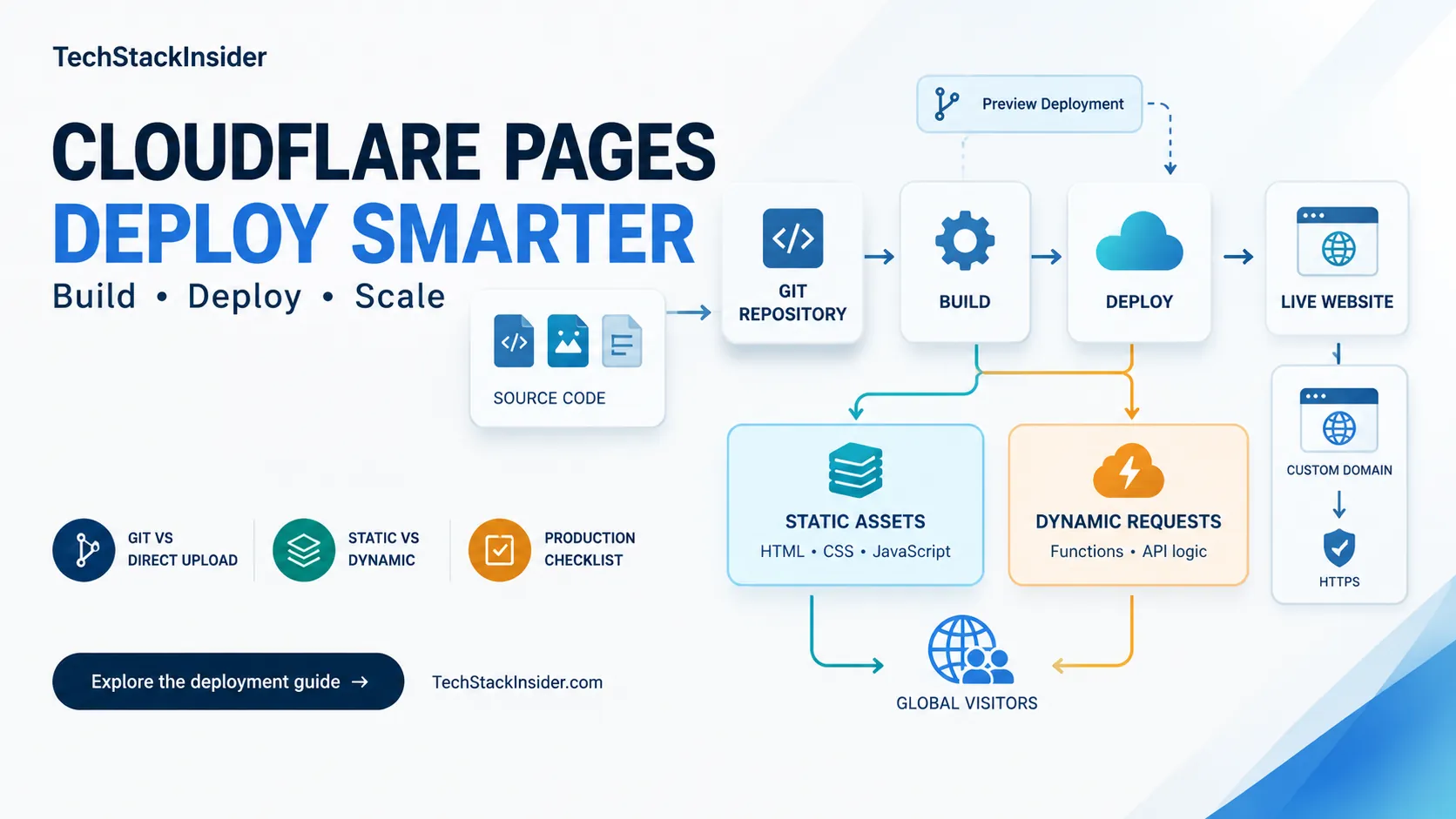
Cloudflare Pages Guide: Deployment, Limits, and When to Use It
Learn when Cloudflare Pages fits a static site, how to configure builds and Functions, and which deployment limits to verify.

Before You Build: How AI-Powered Research Can Uncover a Promising SaaS Opportunity
Learn how AI-powered research can help you investigate a SaaS idea, understand customers and workflows, study existing solutions, challenge assumptions, and decide what to validate before building.
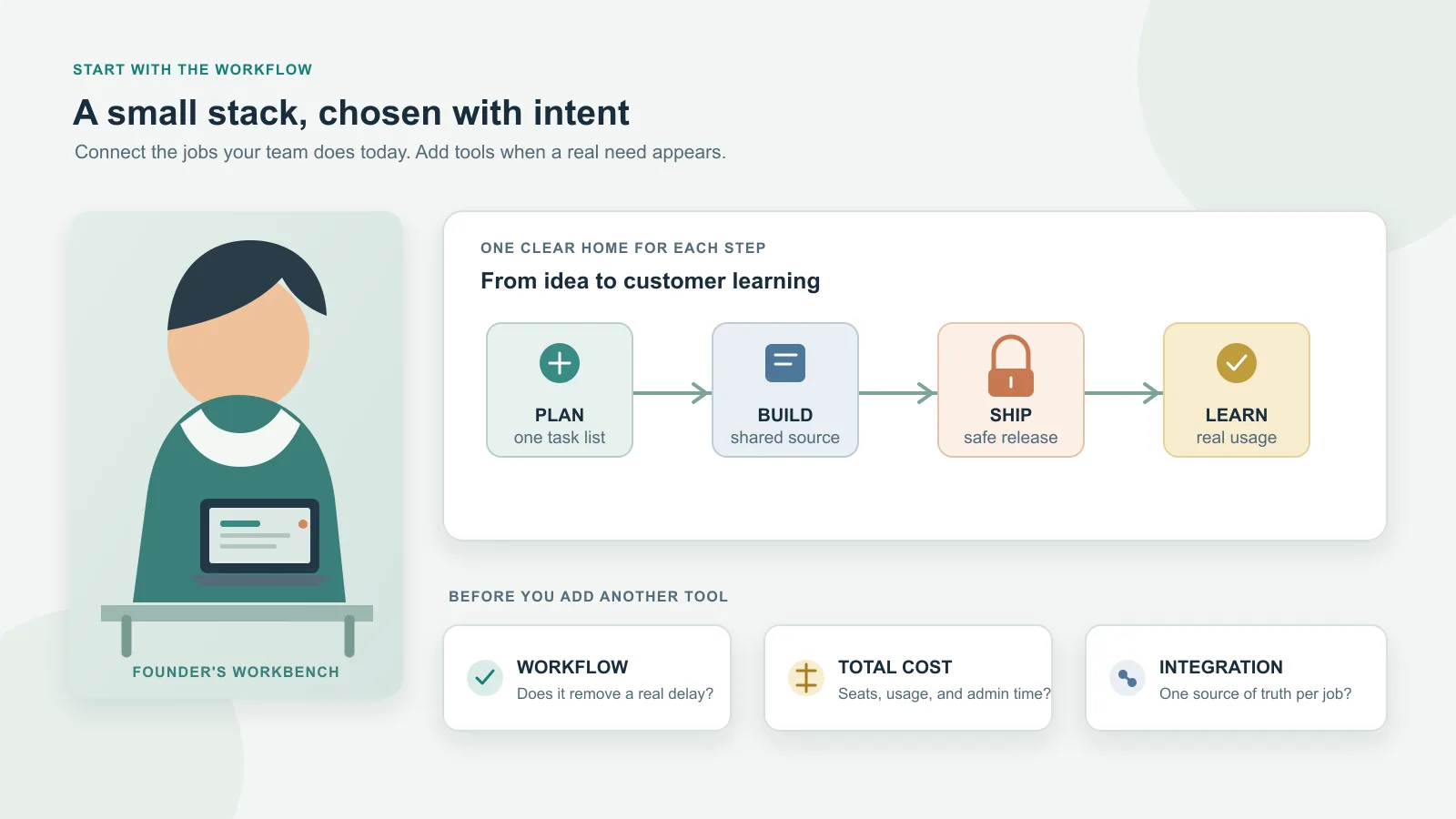
Best SaaS Tools for Startups: Build a Lean Stack
Choose startup SaaS tools by workflow, stage, total cost, integrations, and exit risk. A practical shortlist explains when to adopt each tool—and when to wait.

Can You Build a SaaS Without Being a Developer? What You Really Need to Know in 2026
A practical guide for nontechnical founders evaluating AI, no-code, low-code, and developer-assisted approaches to building and operating a SaaS.