What Technology Does Your SaaS Actually Need? A Nontechnical Founder’s Guide
SaaS requirements explained for nontechnical founders. Learn what technology your SaaS actually needs, from data and AI to integrations, security, and MVP requirements.
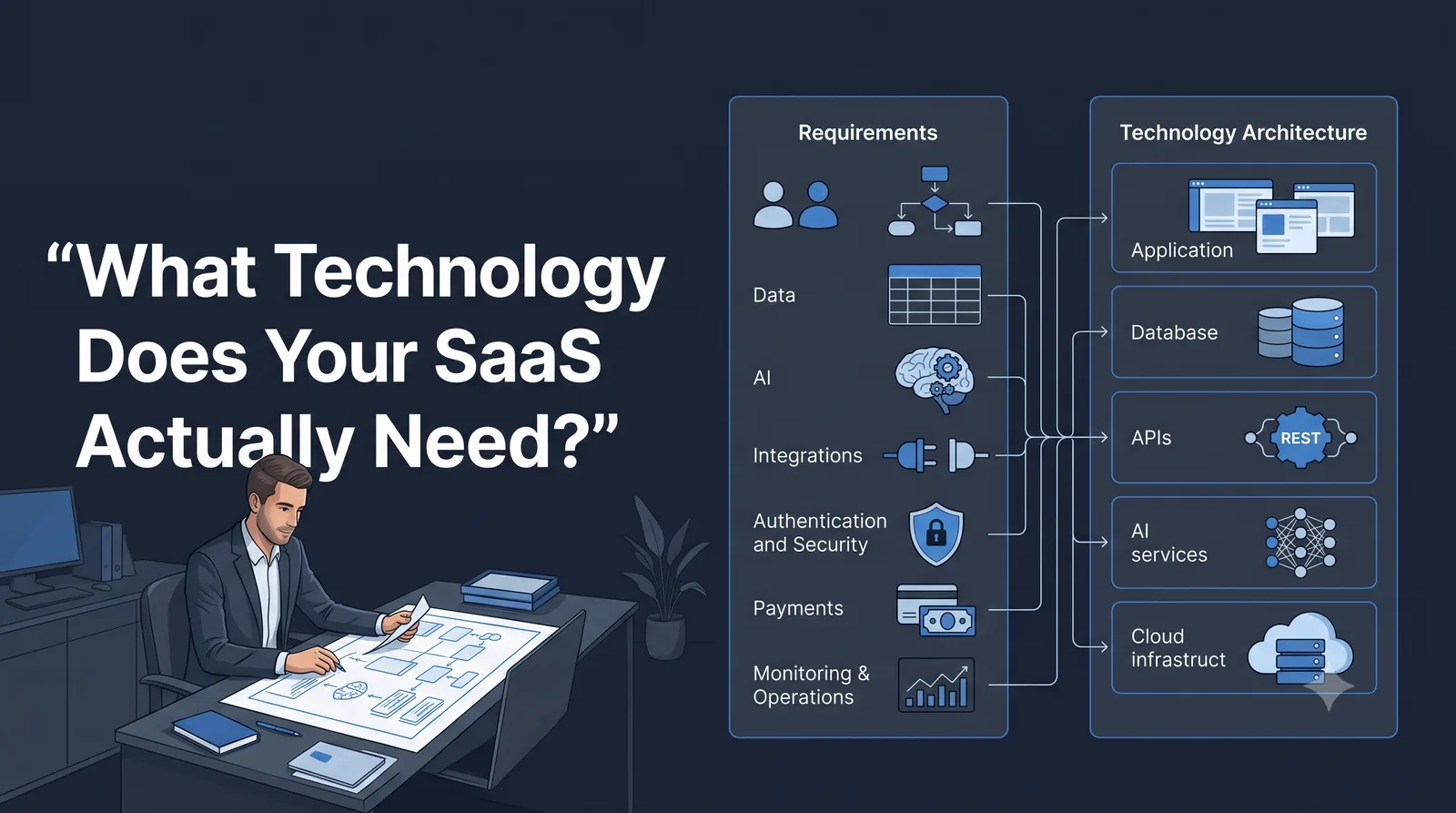
What Technology Does Your SaaS Actually Need? A Nontechnical Founder’s Guide
You have an idea for a SaaS product.
You have probably already started thinking about the technology.
Maybe you have heard that one startup used Next.js and Supabase. Another used Firebase. Someone else says you should use PostgreSQL, an AI API, a vector database, or a particular cloud platform.
That is usually where a nontechnical founder can get stuck.
The problem is not that these technologies are difficult to understand. The problem is that you are choosing technology before you have clearly defined what your product actually needs.
Before deciding on a tech stack, first define your SaaS requirements.
That means understanding what your users will do, what your product must process, what information it needs to store, where AI is actually useful, which systems it needs to connect to, and what could go wrong.
Once those requirements are clear, technology choices become much easier to evaluate.
The short answer
Think about the decision in this order:
Product goal → User action → Requirement → Capability → Technology
For example:
A founder wants to build a SaaS that analyzes customer interviews.
The product goal might be:
Help founders discover recurring customer problems from interview transcripts.
The user action might be:
Upload an interview transcript and ask questions about the feedback.
That creates requirements:
- The product must accept documents.
- It must process text.
- It must store uploaded files or extracted information.
- It needs a way to analyze the content.
- It needs to return results to the user.
- Users may need accounts and saved projects.
- The system needs to protect customer data.
Only after defining those requirements should you start asking:
Which technologies can provide these capabilities?
That difference is important.
You are not choosing technology yet. You are defining the problem that technology has to solve.
Start With What the Product Must Do
A useful way to describe an early SaaS product is:
The user provides X, the system performs Y, and the user receives Z.
For example:
The user uploads customer interviews, the system identifies recurring problems and themes, and the user receives a structured summary with supporting evidence.
That single sentence is surprisingly useful.
It tells you more about the product than simply saying:
“I want to build an AI SaaS.”
Now you can ask better questions.
What does the user provide?
Perhaps:
- Text
- PDFs
- CSV files
- Images
- Audio
- URLs
- Form data
What does the system do?
Perhaps:
- Search
- Calculate
- Classify
- Summarize
- Generate
- Transform
- Compare
- Recommend
- Trigger an action
What does the user receive?
Perhaps:
- A report
- A dashboard
- A recommendation
- A generated document
- A notification
- A workflow result
- An export
This becomes the foundation for your SaaS technical requirements.
Your SaaS Requirements Checklist
A useful requirements checklist for an early SaaS usually covers seven areas:
- Product requirements
- User requirements
- Data requirements
- AI requirements
- Integration requirements
- Security requirements
- Operational requirements
You do not necessarily need complicated technology in every area.
The purpose of the checklist is to discover what actually exists.
1. Product Requirements
Start with the product itself.
Ask:
- What problem does the SaaS solve?
- What is the main user action?
- What is the main result?
- Which features are essential for the first usable version?
- Which features can wait?
- What would make the product unusable if it were missing?
For example, imagine you are building an AI tool that turns customer feedback into product insights.
Your first version might require:
- Account creation
- Project creation
- File upload
- Text analysis
- Results page
- Saved results
It might not require:
- Team collaboration
- Advanced dashboards
- Mobile applications
- Ten different export formats
- Complex automation
- Dozens of integrations
This distinction matters because every additional feature can introduce additional requirements.
2. User Requirements
Technology should support the user’s workflow.
Do not simply create a list of features. Describe what the user is trying to accomplish.
For example:
User goal
“I want to understand the most common complaints in my customer interviews.”
User workflow
- Create a project.
- Upload interviews.
- Start analysis.
- Wait for processing.
- Review identified themes.
- Open supporting evidence.
- Save or export the result.
Now you can see where technology is involved.
The system needs to:
- Authenticate the user.
- Accept files.
- Process the files.
- Run analysis.
- Store results.
- Display results.
- Protect access to the data.
This is much more useful than simply saying:
“The application needs AI.”
3. Data Requirements
This is one of the areas founders often overlook.
Before choosing a database, ask what data the product actually needs.
You may need to store:
- Users
- Organizations
- Projects
- Uploaded documents
- Conversations
- AI requests
- AI responses
- Payments
- Usage records
- Audit information
- Application settings
Then ask:
How much data?
Suppose you eventually have:
- 1,000 users
- 10 projects per user
- 20 AI-generated results per project
That gives you:
1,000 × 10 × 20 = 200,000 result records
If each result averages roughly 5 KB:
200,000 × 5 KB ≈ 1 GB
This is not an infrastructure specification. It is a simple planning exercise.
The point is to understand the shape of the problem before someone tells you that you need a particular database.
4. AI Requirements
An AI feature does not automatically mean that the entire SaaS needs to be built around AI.
Ask a more specific question:
Where does AI actually add value in the workflow?
For example:
User uploads document → AI extracts information → application stores result → user reviews result
Here, AI is one capability inside the workflow.
Other parts may not need AI at all.
You may need:
- Authentication
- File storage
- Database storage
- Application logic
- Background processing
- Billing
- Monitoring
The AI model is only one component.
This distinction becomes particularly important when estimating cost and complexity.
Estimate AI Usage Before Choosing Infrastructure
You do not need perfect numbers at the beginning.
A rough estimate is enough to start thinking clearly.
Imagine:
- 500 users
- 20 AI operations per user per month
- 10,000 AI operations per month
If each operation averages:
- 3,000 input tokens
- 1,000 output tokens
Then:
10,000 × (3,000 + 1,000) = 40 million tokens per month
That does not tell you exactly what your monthly bill will be.
It gives you something much more useful at this stage:
a measurable usage assumption.
You can then test different AI providers, models, caching strategies, processing methods, and pricing models against that assumption.
5. Integration Requirements
Many SaaS products do not operate alone.
Your product might need to connect with:
- Stripe
- Microsoft
- Slack
- Salesforce
- HubSpot
- GitHub
- An AI model provider
- An email provider
- A document-processing service
For every integration, ask:
What information moves between the systems?
Which system owns that information?
How often does the information move?
What happens if the external service is unavailable?
Does the integration need real-time processing?
These questions turn “we need an integration” into an actual requirement.
For example:
“The SaaS needs Stripe.”
is not enough.
A more useful requirement is:
“The SaaS needs to create subscriptions, receive payment-status updates, and restrict premium features when a subscription becomes inactive.”
Now the technical problem is much clearer.
6. Security Requirements
Security should not be added at the very end.
You do not need to become a cybersecurity engineer, but you do need to understand what your product is protecting.
Ask:
- What information do users provide?
- Is the information sensitive?
- Who can access it?
- Can users see another user’s information?
- What happens when an account is deleted?
- What happens when a user leaves a team?
- Are external AI providers receiving customer data?
- How long should data be retained?
A SaaS handling public marketing text has different security requirements from one handling confidential business documents.
The requirement comes first.
The technology follows the requirement.
7. Operational Requirements
A product does not stop existing after it is deployed.
Someone has to operate it.
Ask:
- How will errors be detected?
- How will failed jobs be retried?
- How will users be notified?
- How will backups work?
- How will usage be monitored?
- What happens when an external API fails?
- How will you investigate a customer complaint?
Consider an AI analysis that takes two minutes.
If the process fails after 90 seconds, what happens?
Does the user:
- Start again manually?
- Lose the uploaded document?
- Get an error message?
- Automatically retry?
- See the job as “processing”?
These are operational requirements.
They may not appear in the homepage feature list, but they can make a major difference to the actual product experience.
Not Every SaaS Needs Every Technology
This is worth saying explicitly.
You do not need:
- A vector database because your product uses AI.
- Microservices because your product might scale.
- Kubernetes because you want a serious SaaS.
- Real-time infrastructure because your application has users.
- Multiple AI models because one model might eventually be insufficient.
Technology should be justified by a requirement.
A simpler system that solves the actual problem can be easier to build, understand, test, monitor, and change.
That is especially valuable for a first-time founder working with AI-assisted development.
Separate Must-Have From Nice-to-Have
A useful early exercise is to divide requirements into three levels.
| Level | Meaning | Example |
|---|---|---|
| Must have | Product cannot deliver its core value without it | User can upload a document |
| Important | Valuable but can potentially wait | Export analysis as PDF |
| Later | Useful after the core workflow works | Team collaboration |
You can also use a simple prioritization model:
Priority = User Value × Business Necessity
Score each from 1 to 5.
For example:
| Requirement | User Value | Business Necessity | Priority |
|---|---|---|---|
| Upload documents | 5 | 5 | 25 |
| AI analysis | 5 | 5 | 25 |
| PDF export | 3 | 2 | 6 |
| Team collaboration | 3 | 2 | 6 |
| Custom themes | 1 | 1 | 1 |
The numbers are not scientific measurements.
They are a way to force a useful conversation:
“Do we actually need this now?”
Think About the Workflow, Not Just the Features
A list of features can hide complexity.
A workflow exposes it.
Consider:
Upload → Validate → Process → Analyze → Store → Display → Export
Now ask what happens at each step.
What if the upload fails?
What if the file is too large?
What if AI processing takes five minutes?
What if the AI provider returns an error?
What if the user closes the browser?
What if the same request is submitted twice?
What if the result is wrong?
These questions are where real SaaS requirements begin to emerge.
You do not need to answer every question before building an MVP.
But you should know which questions matter.
Real-Time or Background Processing?
This is another decision that should come from the workflow.
If the user expects an immediate response, the system may need a synchronous interaction.
If processing takes a long time, background processing may make more sense.
For example:
Short operation → request → process → response
But:
Large document → upload → background processing → notification → result
The second workflow may require additional capabilities such as:
- Job management
- Queues
- Background workers
- Status tracking
- Retry handling
Again, you do not start by choosing a queue technology.
You start by identifying the behavior your product needs.
A Simple Way to Estimate Complexity
You can use this as a thinking model:
Complexity ≈ Features × Integrations × Data Sensitivity × AI Uncertainty
This is not an engineering formula.
It is a way of seeing why two seemingly similar SaaS products can have very different levels of complexity.
A simple internal dashboard might have:
- Few features
- No external integrations
- Low-sensitivity data
- No AI
A healthcare-related AI application could have:
- Many workflows
- Multiple integrations
- Highly sensitive data
- Uncertain AI behavior
Calling both “a SaaS application” hides the difference.
Requirements expose it.
What Should a Nontechnical Founder Actually Do?
You do not need to become a software engineer before starting.
But you do need to become good at describing the product.
Your job is to explain:
What should happen?
Who does it?
What information is involved?
What should the user receive?
What happens when something goes wrong?
What must be protected?
You do not have to pretend to know the implementation.
Instead of saying:
“We should use PostgreSQL with Redis and a microservices architecture.”
You can say:
“Users need to save their analysis results, and those results must remain available when they return later. The system may eventually handle thousands of analyses per month.”
That is a useful requirement.
A technical person can then evaluate the possible implementations.
This is a much stronger position for a nontechnical founder.
Use the Requirement → Capability → Technology Worksheet
Before choosing a tech stack, create a simple table.
| Requirement | Capability Needed | Technology Question |
|---|---|---|
| Users create accounts | Authentication | Which authentication approach fits? |
| Users upload documents | File handling/storage | Where should files be stored? |
| Documents are analyzed | AI processing | Which model/provider fits? |
| Results are saved | Persistent storage | What data store fits? |
| Long jobs run in background | Job processing | Do we need a queue/worker? |
| Users pay monthly | Billing | Which payment system fits? |
| Customer data is private | Access control/security | What controls are required? |
Notice what happens here.
You are no longer asking:
“What is the best SaaS tech stack?”
You are asking better questions:
“What capability does this requirement need?”
Then:
“Which technologies can provide that capability?”
That is a much more defensible way to make a technology decision.
SaaS MVP Requirements: What Do You Actually Need?
An MVP does not mean a badly built product.
It means the smallest version capable of testing the core product assumption.
For an AI SaaS, your MVP might only need:
- User authentication
- One primary workflow
- One input method
- One AI capability
- Basic data storage
- Basic error handling
- A usable results interface
- Basic security
- Basic monitoring
It may not need:
- Five AI providers
- Ten integrations
- Advanced analytics
- Complex permissions
- Mobile apps
- Enterprise administration
- Sophisticated automation
The exact boundary depends on the product.
The important question is:
What is the smallest complete workflow that proves whether this product is useful?
What Are the Technical Requirements for a SaaS?
The technical requirements for a SaaS usually emerge from several connected areas:
- Application functionality
- User authentication and authorization
- Data storage
- File storage
- APIs and integrations
- AI or other processing capabilities
- Background jobs
- Security
- Billing
- Monitoring
- Reliability
- Scalability
But the list is not universal.
A SaaS does not become “proper” because it contains every item on this list.
The correct requirements depend on what your product actually does.
When Should You Talk to a Technical Person?
Earlier than many founders think.
You do not have to wait until you have written every requirement.
Bring in technical input when:
- Your workflow involves several external systems.
- You are handling sensitive information.
- AI is central to the product.
- Processing could become expensive.
- You expect substantial traffic.
- You need real-time behavior.
- The product depends heavily on third-party APIs.
- You are uncertain about a major architectural decision.
The goal is not to hand over all product thinking.
The goal is to let technical expertise challenge assumptions and identify implementation risks.
A good conversation sounds like:
“Here is what the user needs to accomplish. Here are the data involved, expected usage, integrations, and constraints. What technical approaches could support this?”
That is much more productive than:
“Which stack should we use?”
Your Pre-Tech-Stack Checklist
Before choosing technologies, you should be able to answer most of these questions.
Product
- What problem does the SaaS solve?
- Who is the primary user?
- What is the core workflow?
- What is the smallest useful version?
Users
- How do users sign in?
- Do users work individually or in teams?
- Are there different permission levels?
Data
- What information must be stored?
- What information must be uploaded?
- How sensitive is the data?
- Roughly how much data could be generated?
AI
- Where does AI add real value?
- What inputs does AI receive?
- What outputs does it generate?
- How frequently will users invoke it?
- What happens when the AI produces a poor result?
Integrations
- Which external services are required?
- What information moves between systems?
- What happens if an integration fails?
Operations
- What happens when processing fails?
- Are background jobs required?
- How will errors be detected?
- How will users know something went wrong?
Security
- Who can access customer data?
- What happens when an account is deleted?
- Does sensitive information leave the application?
- What access controls are required?
Business
- How will users pay?
- What usage needs to be measured?
- Which features are paid?
- What could make the product expensive to operate?
If you cannot answer everything, that does not mean you cannot build the product.
It means you have discovered what still needs to be understood.
Create a Technical Requirements Brief
Before choosing a stack, turn your thinking into a short document.
It might look like this:
Product
AI SaaS that analyzes customer interviews and identifies recurring problems.
Primary user
Early-stage SaaS founders and product teams.
Core workflow
Upload interviews → process text → identify themes → show evidence → save results.
Users
Individual users initially; team functionality may come later.
Data
User accounts, projects, uploaded documents, analysis results, usage records.
AI
Text analysis and summarization.
Estimated usage
Approximately 500 users × 20 AI operations per month.
Integrations
AI provider, payment provider, email service.
Security
Users must only access their own projects and data.
Operations
Long-running analyses require status tracking and failure handling.
MVP boundary
One core workflow; advanced collaboration and additional integrations can wait.
This document is far more useful when choosing technology than a random list of popular frameworks.
The Decision Comes After the Requirements
Now you are ready to discuss technology.
The decision chain becomes:
Requirement → Capability → Constraint → Technology Options → Trade-off → Decision
For example:
Requirement: Users upload large documents.
↓
Capability: Reliable file storage and processing.
↓
Constraint: Files may be large and processing may take time.
↓
Technology options: Different storage and processing approaches.
↓
Trade-off: Cost, complexity, reliability, developer experience.
↓
Decision: Choose the approach that fits the current product.
This is how a technology decision should be made.
Not:
“Everyone is using X, so we should use X.”
And not:
“AI says X is the best stack.”
The Technology Stack Is a Consequence of the Product
This is the main idea to remember.
A technology stack is not the product.
Your product requirements create capabilities.
Those capabilities create technical constraints.
Those constraints narrow the technology choices.
So the process is:
Product idea
→ User workflow
→ Requirements
→ Capabilities
→ Constraints
→ Technology options
→ Tech-stack decision
That order gives you something valuable as a nontechnical founder:
a reason for every major technology decision.
You may still need developers, technical advisors, or AI coding tools to implement the product.
But you will be able to explain what you are building and why.
That is the important part.
Final Takeaway
If you are building your first SaaS, do not begin with:
“Which technology should I use?”
Begin with:
“What does my product actually need to do?”
Then work through:
Users → Workflow → Requirements → Data → AI → Integrations → Security → Operations
Only after that should you evaluate the technology.
You do not need to know every technical answer before starting.
You need to ask the right questions in the right order.
And once those requirements are clear, choosing a technology stack becomes a decision you can reason about—not a decision you have to guess.
Next step
Once you understand what your SaaS actually requires, the next question is no longer “What technology exists?”
It becomes:
“How should I choose a SaaS tech stack that fits these requirements?”
Frequently Asked Questions
What are the technical requirements for a SaaS?
The technical requirements depend on what the SaaS must do. They typically include product and user requirements, data storage and processing, authentication and permissions, integrations, security, AI capabilities when needed, and operational requirements such as monitoring, backups, deployment, and error handling.
What technology does a SaaS need?
There is no single technology stack that every SaaS needs. The required technology depends on the product's capabilities, data, integrations, security requirements, processing needs, and expected usage. Define the requirements first, then evaluate technology options against them.
What are SaaS MVP requirements?
A SaaS MVP should include the smallest set of capabilities required to deliver its core user outcome. Depending on the product, this may include authentication, core application logic, data storage, required integrations, payments, security controls, and basic monitoring and error handling.
Should a nontechnical founder choose the tech stack before defining requirements?
Usually, requirements should come first. Define what users need to do, what the system must process and store, what integrations are required, what risks must be controlled, and what the MVP must deliver before comparing technology options.
Related Articles

Can You Build a SaaS Without Being a Developer? What You Really Need to Know in 2026
A practical guide for nontechnical founders evaluating AI, no-code, low-code, and developer-assisted approaches to building and operating a SaaS.
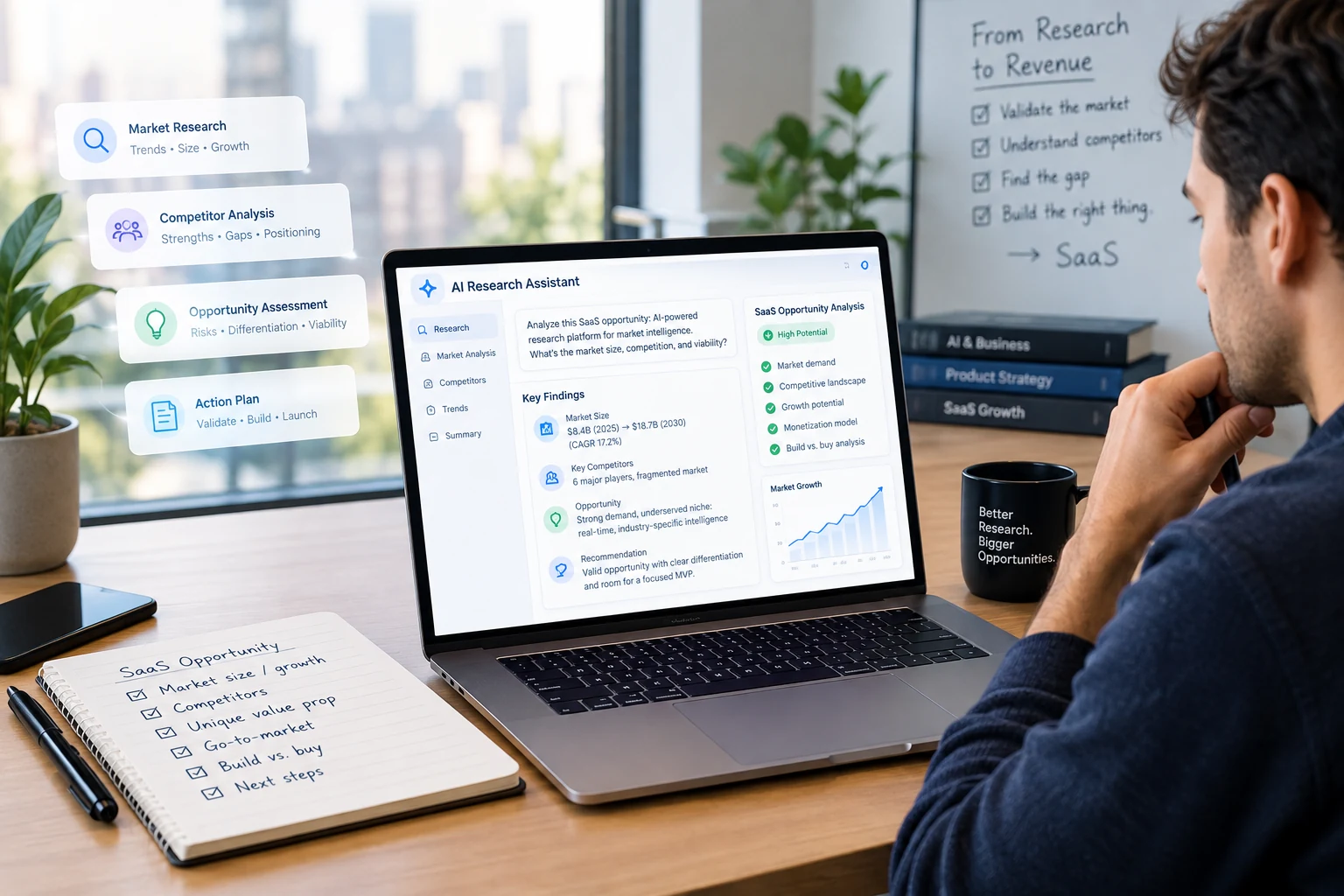
Before You Build: How AI-Powered Research Can Uncover a Promising SaaS Opportunity
Learn how AI-powered research can help you investigate a SaaS idea, understand customers and workflows, study existing solutions, challenge assumptions, and decide what to validate before building.
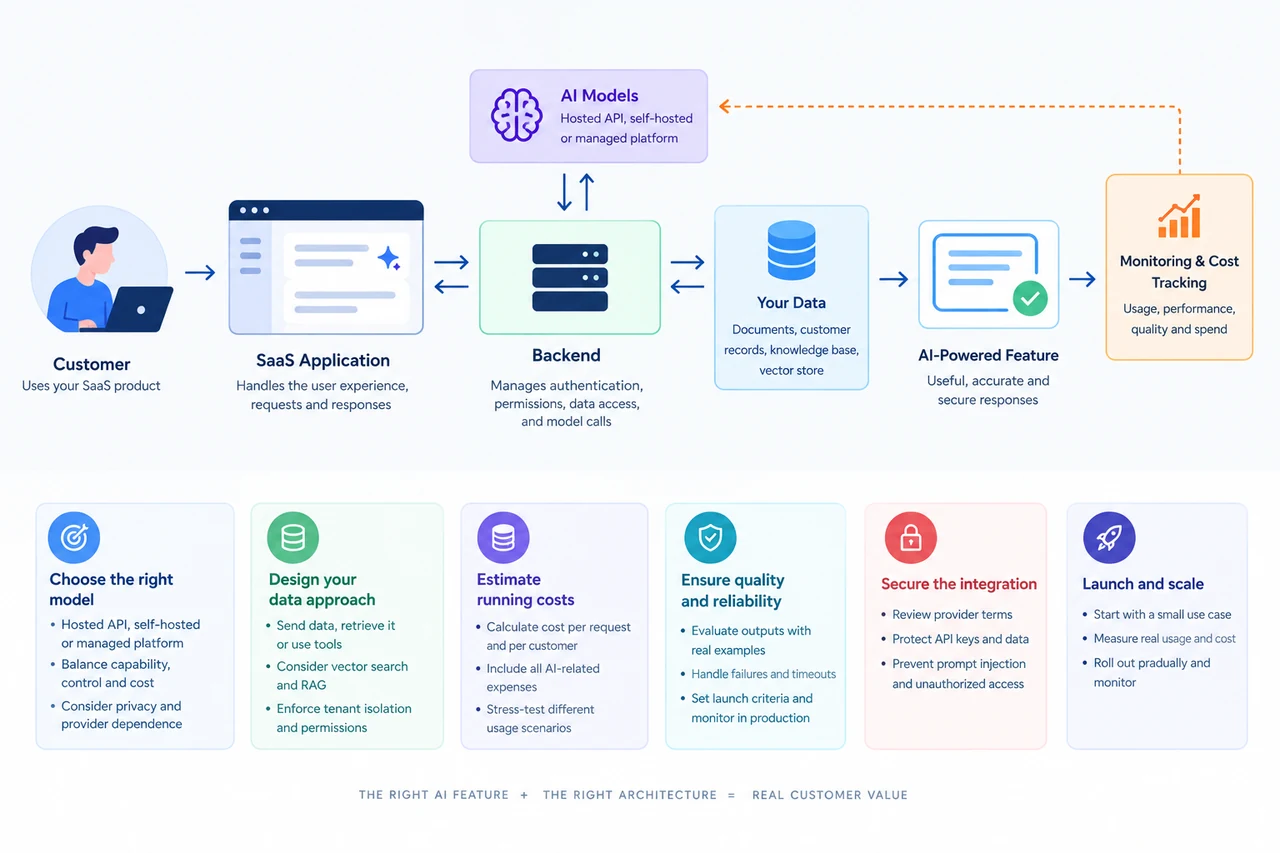
How to Add AI to Your SaaS: Models, Data, and Running Costs
Learn how to integrate AI into a SaaS product, choose a model, manage customer data, estimate running costs, and validate the feature before launch.
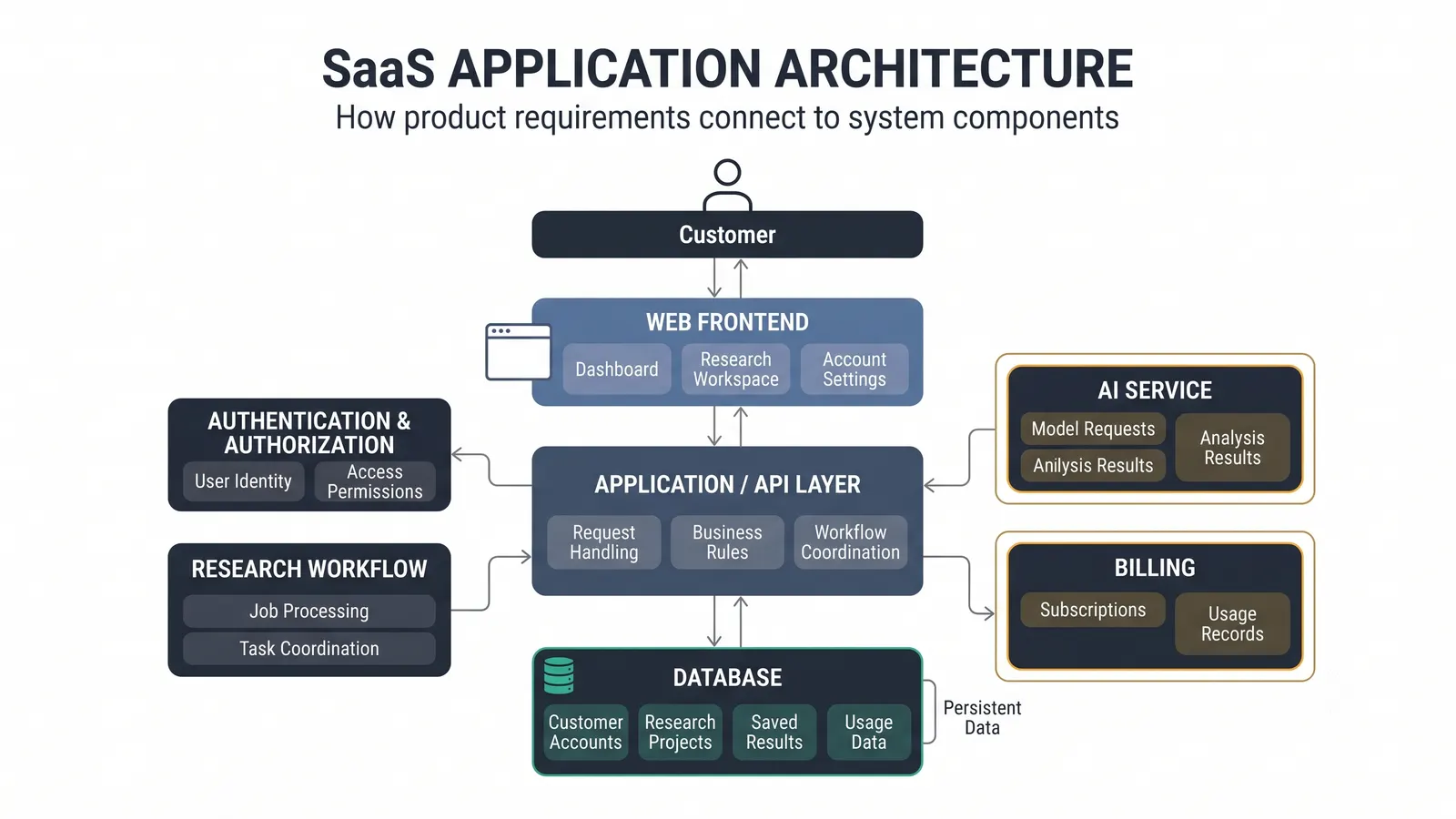
How to Design a SaaS Architecture: A Nontechnical Founder’s Guide
A practical guide to designing a SaaS architecture by connecting product requirements, system capabilities, technology components, relationships, and architecture decisions.