How to Add AI to Your SaaS: Models, Data, and Running Costs
Learn how to integrate AI into a SaaS product, choose a model, manage customer data, estimate running costs, and validate the feature before launch.
How to Add AI to Your SaaS: Models, Data, and Running Costs
Adding AI to a SaaS product is not simply a matter of connecting an API to an application. It introduces new decisions about data, operating costs, reliability, security, and the amount of control you need over the technology.
A customer-support product might use AI to draft replies. A research platform might summarize documents. A sales application might extract information from customer records. Although all three products use AI, they may require different models, data architectures, safeguards, and cost structures.
The challenge is deciding what the feature should do, which technology can deliver it, and whether the result is worth operating.
For a founder building a SaaS product, the practical objective is straightforward: introduce AI where it creates measurable value without making the product unnecessarily expensive, unreliable, or difficult to maintain.
This guide explains how to make those decisions before committing to an implementation.
1. Decide what AI should actually do
Start with the customer’s problem, not the model.
Suppose you are building a SaaS product for small businesses. Customers currently spend time reading incoming enquiries, identifying what each customer needs, and preparing replies.
You could introduce several AI capabilities:
- Summarize long enquiries.
- Categorize messages by intent.
- Draft a response for an employee to review.
- Search company documentation to answer questions.
- Send responses automatically without human review.
These features have different requirements and risks. Summarizing an enquiry is relatively easy to constrain. Sending a response automatically introduces additional consequences if the model misunderstands the customer.
Before selecting technology, define the job.
| Question | What you need to establish |
|---|---|
| What problem exists? | A specific task customers find difficult, expensive, or time-consuming |
| What does AI contribute? | A capability that improves the existing workflow |
| What is the expected result? | Faster completion, better quality, lower cost, or increased customer value |
| What happens when AI is wrong? | The consequence of an incorrect, incomplete, or misleading result |
| How will success be measured? | A baseline and a measurable improvement target |
Not every problem needs a language model. A fixed rule, database query, search function, or conventional automation may be cheaper and more dependable.
For example, if a customer wants to filter invoices by date, a database query is usually the appropriate solution. If the customer wants to understand a collection of invoices written in different formats, AI may offer a meaningful advantage.
Decision rule: use AI when its capabilities improve the outcome enough to justify the additional cost, uncertainty, and operational responsibility.
2. Choose the right model and hosting approach
Once the task is clear, decide how your application will access the AI capability.
There are three common approaches.
Option A: Use a hosted AI model API
Your application sends a request to a model provider and receives a response. The provider operates the underlying model infrastructure.
This is often the simplest starting point for a new SaaS product.
Advantages include:
- No need to operate GPU infrastructure.
- Faster experimentation with different models.
- Less responsibility for model serving and infrastructure maintenance.
- Usage-based pricing for many services.
- Access to models that may be difficult to operate independently.
The trade-offs are recurring usage costs, dependence on the provider, network latency, service limits, and the need to review the provider’s data-handling terms.
Your application still needs authentication, authorization, error handling, logging, and cost controls. Using a hosted model does not eliminate those responsibilities.
Option B: Host an open-weight model yourself
Some models allow their weights to be downloaded and operated on infrastructure you control, subject to their individual licences.
Self-hosting can offer greater control over model deployment, data flows, configuration, and serving infrastructure. It may also become economically attractive when usage is sufficiently high and predictable.
However, you take on additional work:
- Selecting and provisioning suitable hardware.
- Deploying and updating the model.
- Managing throughput and memory requirements.
- Monitoring performance and availability.
- Securing the infrastructure.
- Maintaining the serving stack and handling failures.
An open-weight model is not automatically free to operate. Hardware, electricity or cloud compute, engineering time, maintenance, and unused capacity all contribute to its total cost.
Option C: Use a managed model platform
A managed platform can sit between a basic model API and fully self-managed infrastructure. Depending on the provider, it may offer model hosting, deployment controls, networking options, monitoring, and integration with your existing cloud environment.
This can be useful when an organisation needs more operational control without wanting to manage every infrastructure component itself.
The precise capabilities vary by platform, so verify them rather than assuming every managed service provides the same guarantees.
Which approach should you choose?
| Consideration | Hosted model API | Self-hosted model | Managed model platform |
|---|---|---|---|
| Initial setup | Usually simplest | Most involved | Depends on platform |
| Infrastructure responsibility | Lower | Higher | Shared with provider |
| Operational control | Provider-dependent | Potentially high | Platform-dependent |
| Cost structure | Often usage-based | Compute and operating costs | Platform and usage costs |
| Scaling responsibility | Largely provider-managed | Your responsibility | Shared |
| Best initial fit | Most early experiments | Specific control or workload needs | Established platform requirements |
For most early-stage founders, a hosted API is a sensible starting hypothesis, not a universal rule. Validate the decision against privacy requirements, model quality, projected usage, and the consequences of provider dependence.
You can revisit the hosting decision when actual usage and operational requirements justify doing so.
3. Design how AI will access your data
A model does not automatically know your customer’s private business information.
If your SaaS must answer questions about uploaded documents, retrieve customer-specific records, or summarize previous interactions, you need a deliberate data-access design.
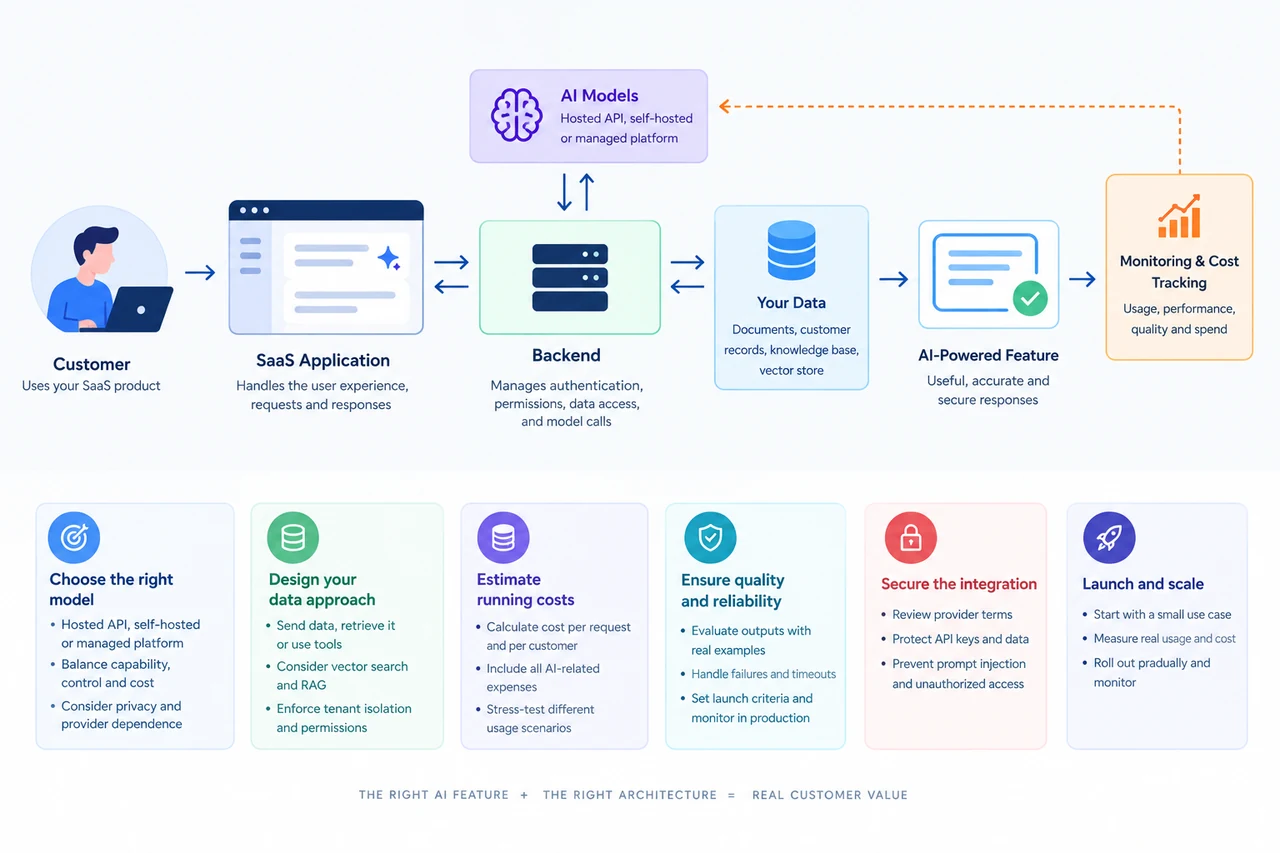
A common architecture looks like this:
Customer → SaaS application → Backend → AI model
The backend manages the request, checks permissions, retrieves relevant information when needed, and calls the model. The application then validates and presents the result.
This matters because your application—not the model—must remain responsible for enforcing customer access permissions.
Three common data patterns
Pattern 1: Send the necessary information with the request
For a simple feature, your backend can provide the relevant text directly to the model.
Example: a customer asks for a summary of a short document.
This is straightforward when the input is small and can be shared with the chosen provider under the applicable data-handling terms.
Pattern 2: Retrieve relevant information before calling the model
For a knowledge assistant, the application can search a collection of approved documents and provide the most relevant passages as context for the model.
This approach is commonly called retrieval-augmented generation, or RAG.
A simplified flow is:
- The customer asks a question.
- The application identifies the customer’s permitted data sources.
- The retrieval system finds relevant passages.
- The backend provides those passages to the model.
- The model generates an answer using the supplied context.
- The application presents the answer and, where possible, its supporting sources.
RAG can help a model answer questions about changing or private information without requiring the underlying model to be retrained. It does not guarantee factual accuracy, and the quality of the answer depends on retrieval, context quality, model behaviour, and evaluation.
Pattern 3: Let the model request approved application actions
A more advanced feature may let a model call specific application tools—for example, looking up an order or preparing a report.
The backend must enforce authorization and validate the requested action. Sensitive operations should have explicit approval rules and appropriate safeguards.
Do not give a model unrestricted database access or permission to perform arbitrary actions simply because the feature needs access to business data.
Do you need a vector database?
Not necessarily.
A conventional database may be enough when the application needs exact lookups, filters, structured records, or ordinary keyword search.
A vector search system can help when the application needs to find semantically related text, such as passages discussing the same concept using different words.
RAG is an application pattern, not a requirement to purchase a particular database product. You may be able to implement retrieval using existing infrastructure, a search service, a vector extension, or a dedicated vector database.
Choose the simplest data architecture that satisfies the feature’s retrieval and reliability requirements.
Protect customer boundaries
For a multi-tenant SaaS, customer A must never retrieve customer B’s private information.
Your design should explicitly address:
- Tenant-level data isolation.
- User authentication and authorization.
- Permissions applied before retrieval.
- Data retention and deletion.
- Provider processing and storage terms.
- Protection of credentials and API keys.
- Logging that avoids unnecessarily exposing sensitive content.
These controls are part of the product architecture, not optional improvements to add after launch.
4. Calculate what AI will cost per customer
A model API may look inexpensive when you test a few requests. The economics can change when customers use the feature regularly.
The most useful starting point is not the provider’s headline price. It is the estimated cost of serving one customer under realistic usage assumptions.
For a token-priced language model:
Cost per request
= (Input tokens × Input price per token) + (Output tokens × Output price per token)
Use the provider’s actual current pricing units when calculating this figure. If prices are quoted per million tokens, divide token counts by one million before multiplying by the corresponding rate.
For a product with multiple model calls, include the cost of every call.
Worked example: a SaaS with 100 customers
The following numbers are illustrative assumptions, not current provider prices.
Suppose:
- 100 paying customers use the AI feature.
- Each customer makes 200 requests per month.
- Each request uses 1,500 input tokens.
- Each response generates 500 output tokens.
- The assumed input rate is $0.50 per million tokens.
- The assumed output rate is $2.00 per million tokens.
First, calculate the usage.
| Metric | Calculation | Monthly result |
|---|---|---|
| Total requests | 100 × 200 | 20,000 |
| Input tokens | 20,000 × 1,500 | 30 million |
| Output tokens | 20,000 × 500 | 10 million |
| Input cost | 30 × $0.50 | $15 |
| Output cost | 10 × $2.00 | $20 |
| Total model cost | $15 + $20 | $35 |
Under these assumptions, the model cost is $35 per month, or $0.35 per customer per month.
But that is not the complete operating cost.
The example excludes any additional retrieval, embedding, reranking, storage, monitoring, infrastructure, taxes, and engineering or support expenses. It also assumes every request has the same token usage and price.
Actual costs can differ substantially when customers submit long documents, generate lengthy responses, use expensive models, or trigger multiple model calls.
Calculate the cost per paying customer
A more complete model is:
AI operating cost per customer
= Total AI-related operating costs ÷ Number of paying customers served
Include, as applicable:
- Model inference.
- Embeddings and retrieval.
- Additional model calls.
- AI-specific infrastructure.
- Monitoring and other usage-based services.
- Costs attributable to failed requests and retries.
For profitability, compare the resulting cost with the customer’s revenue and the rest of the product’s delivery costs.
Suppose the product charges $20 per month. If AI costs $0.35 per customer, the illustrative model cost is 1.75% of revenue. If actual AI-related costs rise to $8 per customer, that share becomes 40%.
Neither percentage determines profitability on its own. Payment processing, hosting, support, customer acquisition, and other expenses still matter.
Stress-test your assumptions
Before launch, model at least three scenarios.
| Scenario | Usage assumption | What it reveals |
|---|---|---|
| Low | Occasional AI use | Baseline operating economics |
| Expected | Typical active-customer use | Likely cost under your current assumptions |
| High | Heavy usage and longer requests | Exposure to expensive customers and margin pressure |
Also estimate what happens if adoption doubles, token usage increases, or you need a more capable model.
A feature that is economical during a small pilot may become expensive when customer behaviour changes. Usage limits, quotas, model routing, caching where appropriate, and request-length controls can help manage that exposure.
Before making a financial commitment, replace the illustrative rates with the provider’s current pricing and your own measured usage.
5. Balance quality, latency, and cost
The cheapest model is not necessarily the cheapest solution.
A smaller model may cost less per request but perform poorly on a task, require more retries, or need additional human review. A more capable model may improve results enough to justify its higher price.
The right comparison measures the complete task outcome.
For each candidate model, test:
- Quality: Does it produce correct and useful results?
- Latency: How long does the customer wait?
- Cost: What is the cost per successful task?
- Consistency: Does performance remain acceptable across different inputs?
- Failure behaviour: Does it handle missing information and ambiguous requests appropriately?
- Operational fit: Does it meet your privacy, availability, and integration requirements?
Use a representative evaluation set built from realistic customer scenarios. Include ordinary requests, difficult cases, incomplete inputs, and examples where the correct response is to decline or ask for clarification.
Record results before choosing the model.
For simple tasks, a smaller model may be sufficient. For complex reasoning or high-consequence tasks, a stronger model and additional review may be warranted.
You can also use different models for different stages of a workflow, but model routing adds complexity and should be justified by measured benefits.
6. Build reliability into the feature
AI output is probabilistic. Even a capable model can misunderstand a question, invent unsupported details, or produce an answer that looks plausible but is incorrect.
Your SaaS must therefore define what acceptable performance means before launch.
For a document-analysis feature, that might mean:
- Required fields are extracted correctly.
- Unsupported facts are not presented as verified.
- Missing information is identified.
- Results follow the expected output format.
- The system handles malformed documents without crashing.
- Sensitive actions require the appropriate approval.
Use structured outputs where appropriate
If your application expects fields such as a summary, category, and confidence indicator, define a schema and validate the response.
A valid JSON response does not guarantee a correct answer, but structured output can make integration more predictable.
Handle timeouts and provider failures
Plan for rate limits, network problems, unavailable services, and malformed responses.
Depending on the feature, appropriate responses might include a bounded retry, a clear error message, a queued task, or a manual fallback.
Avoid endless retries or silently presenting an old answer as though it were fresh.
Evaluate changes before release
A provider may update a model, your prompts may change, or the underlying customer data may evolve.
Keep a representative test set and rerun it when you make material changes. Compare quality, cost, and latency against your previous baseline.
For high-impact decisions, use stronger validation and human oversight rather than assuming that a general-purpose model is reliable enough by default.
7. Secure the integration before customers depend on it
AI introduces data flows that may not exist in a conventional SaaS application.
Before sending customer information to a model provider, establish what data is sent, why it is needed, how it is processed, and what contractual protections apply.
Your security review should include:
- Reviewing provider terms, retention rules, and data-use policies.
- Keeping API keys on the server rather than exposing them in browser code.
- Enforcing customer and user permissions before accessing data.
- Minimizing sensitive information sent to external services.
- Defining retention, deletion, and logging policies.
- Limiting tool permissions and validating model-requested actions.
- Testing for prompt injection and attempts to access unauthorized information.
Prompt injection deserves particular attention when an AI feature reads user-supplied documents or web pages. Content retrieved by the model may contain malicious instructions. Treat retrieved content as untrusted data, and enforce security controls outside the model.
If your customers operate in regulated industries, determine the applicable legal, contractual, and sector-specific requirements before selecting the provider and deployment model.
Self-hosting may address some control requirements, but it does not automatically make a system secure or compliant.
8. Launch the smallest useful version
You do not need to build a comprehensive AI platform before proving that one feature is valuable.
A sensible launch process starts with a narrow use case and expands only after evidence supports doing so.
Stage 1: Define success
Write down the customer problem, current baseline, desired outcome, and acceptable failure rate.
For example, a support assistant might aim to reduce the time required to prepare a response while keeping employees responsible for reviewing and sending it.
Stage 2: Build a limited prototype
Use a small set of realistic examples. Test the workflow with synthetic or appropriately authorized data before exposing sensitive production information.
Compare AI output with the expected result and identify common failure modes.
Stage 3: Measure real usage
Run a limited pilot with suitable users. Track task success, latency, cost per successful task, error rates, user corrections, and feedback.
Do not judge the feature solely by how impressive a demonstration looks.
Stage 4: Establish release criteria
Define the conditions that must be satisfied before wider release.
These may include minimum quality, maximum acceptable latency, cost limits, privacy requirements, and a working failure-handling process.
Stage 5: Roll out gradually
Increase access only after the feature meets its criteria. Monitor actual usage and costs, and maintain a way to disable the feature or fall back to the previous workflow if necessary.
A pilot becomes a dependable product capability when ownership, measurement, monitoring, and maintenance are part of normal operations.
9. Make the decision before committing to the build
Use the following checklist to determine whether your AI feature is ready for implementation.
| Decision | Evidence required |
|---|---|
| Is AI necessary? | A specific task where AI offers measurable value |
| Which model should you use? | Comparative tests on representative inputs |
| Where should it run? | A reasoned choice based on cost, control, capability, and operations |
| What data does it need? | A documented data flow and permission model |
| Is the cost sustainable? | Low, expected, and high-usage estimates |
| Is the result reliable enough? | Evaluation results and defined failure handling |
| Is the integration secure? | Reviewed provider terms, access controls, and security tests |
| Is it ready for customers? | Explicit launch criteria, monitoring, ownership, and rollback procedures |
If several answers remain unknown, that does not mean the idea should be abandoned. It means the next step is a targeted experiment rather than a larger implementation.
Conclusion: Add AI as a product capability, not a technology ornament
An AI-powered SaaS is still a software product. It needs a clear customer problem, a suitable architecture, secure data handling, predictable operating practices, and a credible business model.
Start with the feature. Choose the simplest model and data architecture that can meet its requirements. Estimate costs using realistic usage, evaluate the output against measurable criteria, and launch only when the system can handle both normal operation and failure.
The objective is not to use the most advanced model or build the most sophisticated infrastructure. It is to create a product customers value and a system your business can afford to operate.
Once that foundation is established, you can make more advanced decisions about retrieval, model routing, agents, private inference, and large-scale deployment based on evidence rather than assumptions.
Frequently Asked Questions
How do I add AI to an existing SaaS product?
Start with a specific customer problem, define the expected result, and evaluate whether a hosted model API, managed AI platform, or self-hosted model fits the requirement. Integrate the model through your backend, control data access, measure usage and cost, and validate output quality before a broad release.
Should a SaaS product use an AI API or host its own model?
A hosted API is often a practical starting point because it reduces infrastructure and model-serving work. Self-hosting may make sense when control, deployment requirements, predictable workloads, or specialized performance justify the additional operational burden. Compare the options against your actual requirements.
How much does AI cost to run in a SaaS?
Costs depend on model pricing, input and output usage, request volume, retries, and supporting infrastructure. Estimate cost per task and per active customer using current provider rates, then validate the estimate with measured workloads.
Does an AI-powered SaaS need a vector database?
Not always. A vector database can help when a feature needs semantic retrieval over documents or other content. Simpler features may work with ordinary database queries and direct model calls. Choose retrieval infrastructure only when the use case requires it.
How should customer data be handled when adding AI?
Send only the data needed for the task, enforce authorization in your application, review provider retention and training terms, protect credentials, and prevent one customer's information from reaching another. Test access controls and failure cases before launch.
Related Articles
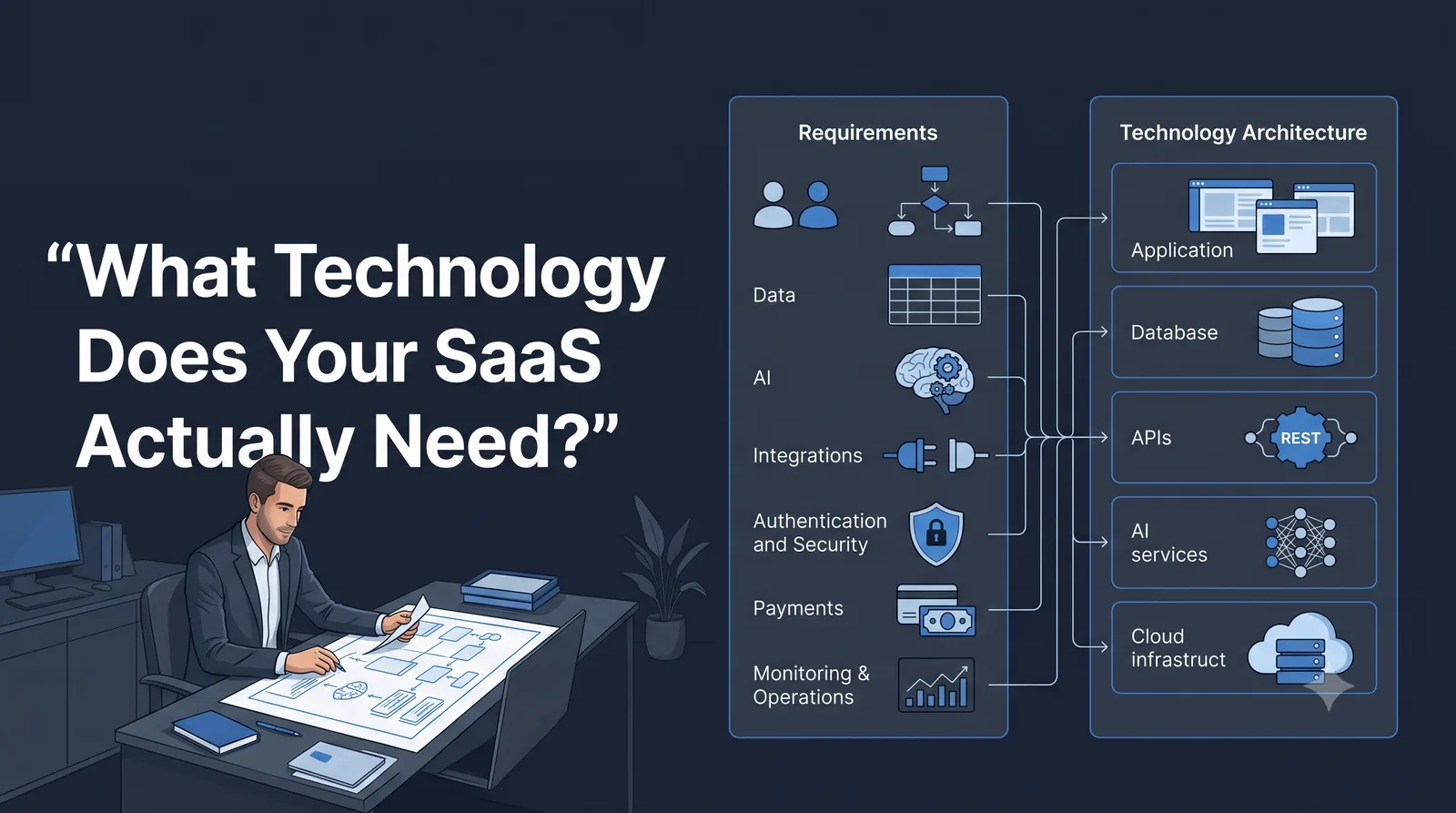
What Technology Does Your SaaS Actually Need? A Nontechnical Founder’s Guide
SaaS requirements explained for nontechnical founders. Learn what technology your SaaS actually needs, from data and AI to integrations, security, and MVP requirements.
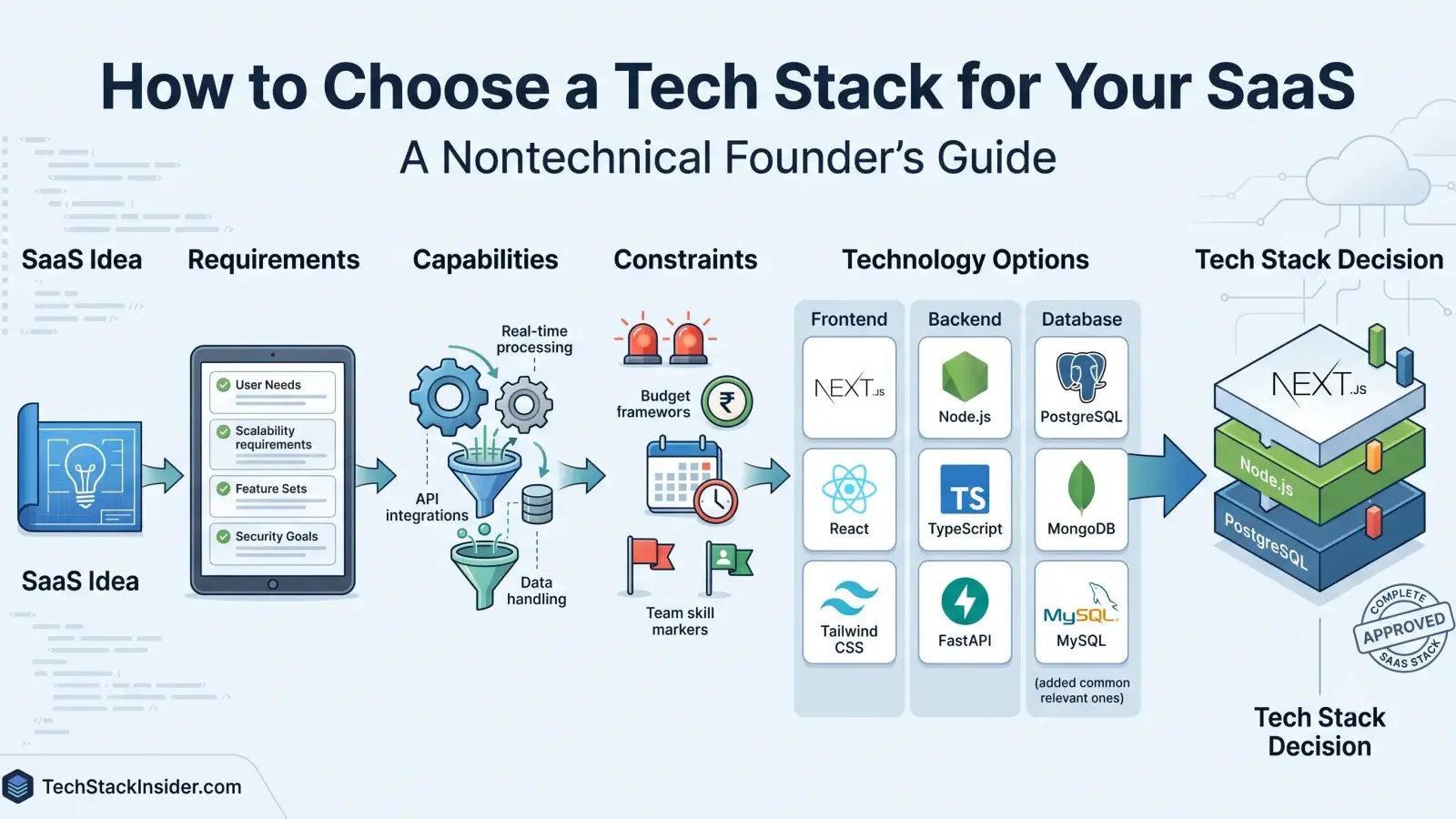
How to Choose a Tech Stack for Your SaaS
A practical guide for nontechnical SaaS founders to choose a tech stack by defining product requirements, comparing capabilities, and weighing cost, complexity, security, and team constraints.
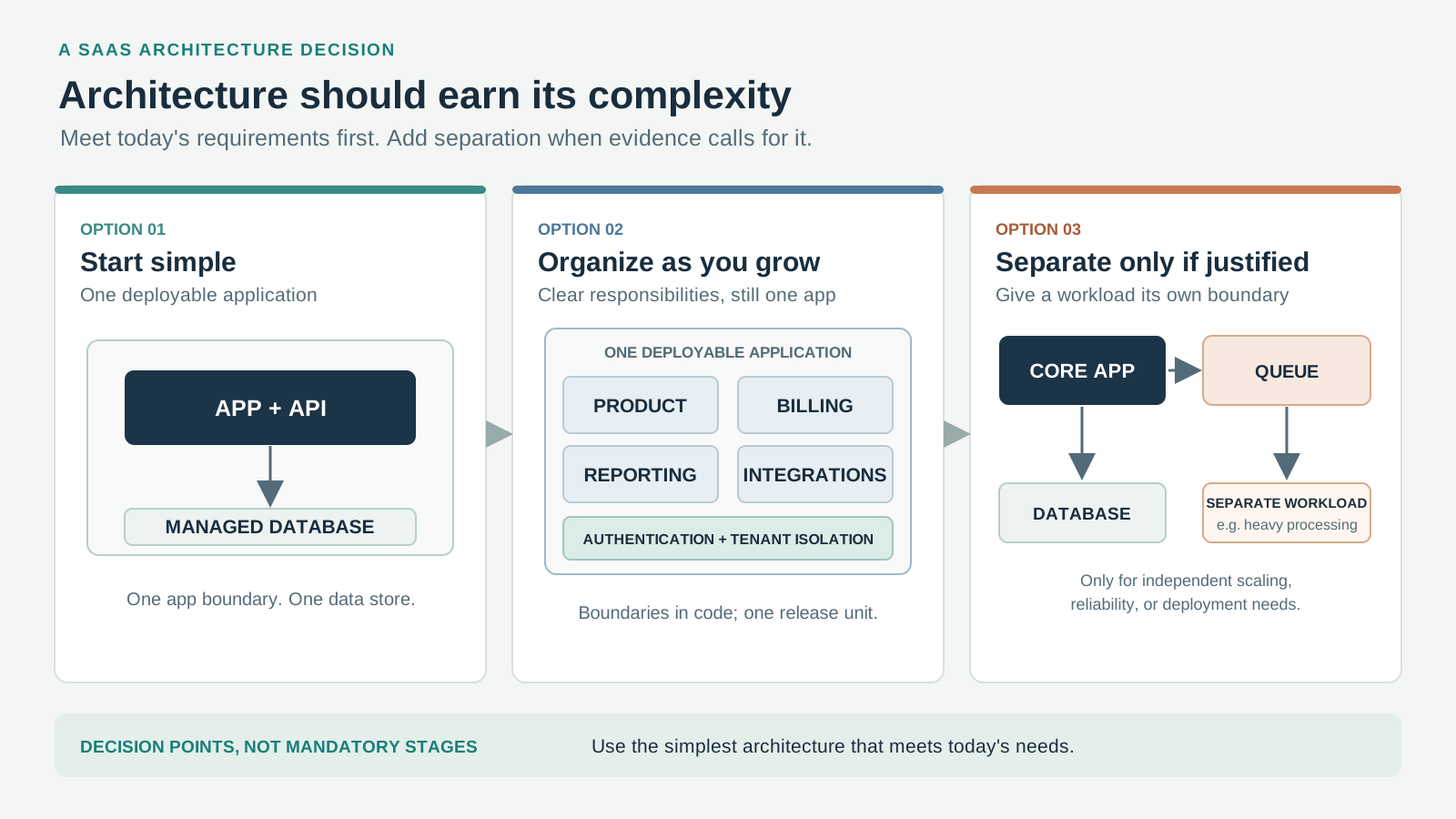
How Much Architecture Does Your SaaS Actually Need?
A practical guide to deciding how much SaaS architecture a founder actually needs, when a monolith is enough, and when complexity is justified by real product and operational requirements.

Before You Build: How AI-Powered Research Can Uncover a Promising SaaS Opportunity
Learn how AI-powered research can help you investigate a SaaS idea, understand customers and workflows, study existing solutions, challenge assumptions, and decide what to validate before building.