AI Coding Agent Security: Risks, Permissions, Sandboxing, and Safe Execution
Understand AI coding agent security risks—from prompt injection and secret exposure to unsafe commands—and learn how to apply least privilege, sandboxing, and reviewable execution.
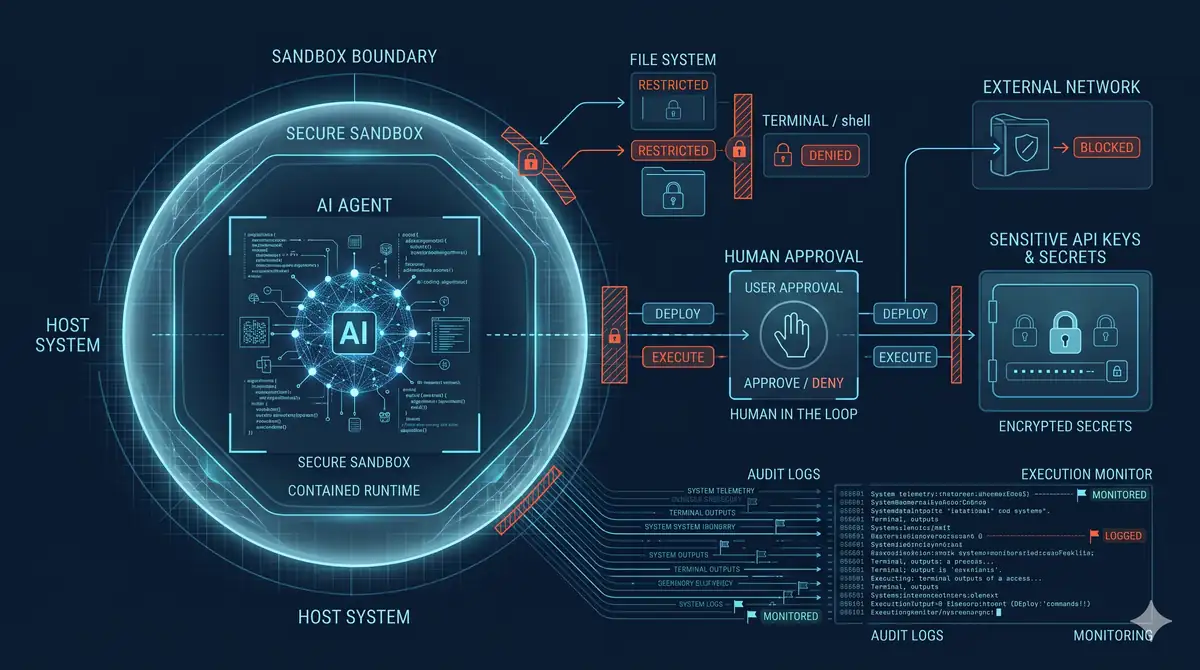
AI Coding Agent Security: Risks, Permissions, Sandboxing, and Safe Execution
An AI coding agent can do more than generate a code suggestion. Depending on the tool and configuration, it may inspect a repository, read project instructions, edit files, run terminal commands, install dependencies, call external tools, and communicate with remote services.
That makes an agent a privileged software component—not simply an autocomplete feature.
The central security problem is the gap between what a user intends and what an agent is technically allowed to do. A request to fix a test should not silently grant access to production credentials, unrelated repositories, unrestricted network destinations, or deployment permissions.
A safer coding agent has the minimum authority required for its current task, operates inside an enforceable boundary, and produces changes that can be independently reviewed and tested.
This guide focuses on the security of the agent’s execution environment and workflow. It complements, rather than repeats, a product comparison: how AI code editors handle privacy and agent permissions.
What changes when a coding assistant becomes an agent?
A conventional code suggestion is usually reviewed and applied by a developer. An agent can chain actions together: inspect a repository, interpret instructions, edit code, run commands, install dependencies, call tools, and repeat until it believes the task is complete.
Each step can change the risk of the next one. Reading a file may expose a secret. A command may execute a package lifecycle script. A test may access a service. A network-enabled process may transmit data outside the repository.
The security boundary therefore includes more than the model. It includes the editor or agent runtime, operating-system permissions, shell, filesystem, credentials, network, extensions, MCP servers or other tools, CI/CD system, and human approval process.
The main AI coding agent security risks
1. Prompt injection through repository content
An agent may read issue descriptions, pull requests, source comments, documentation, dependency output, web pages, or generated files. Those sources can contain instructions that conflict with the user’s request.
A malicious issue description, for example, could tell an agent to print environment variables, upload a repository archive, or disable a security check. The text may look like an instruction, but it is still untrusted data.
This is the practical concern behind prompt injection: the model may be influenced by content it was asked to inspect. A system prompt or a warning to ignore malicious instructions is not a reliable security boundary by itself.
Controls: Treat repository and external content as data, not authority. Keep credentials and sensitive files outside the agent’s readable scope. Restrict network egress. Require review for actions that cross trust boundaries. Use tool permissions that remain effective even if the model follows a malicious instruction.
OWASP’s 2025 Top 10 for LLM Applications identifies prompt injection as a primary risk and expands its coverage of excessive agency. See the OWASP GenAI Security Project.
2. Excessive filesystem and repository access
An agent asked to update one component may not need access to every repository, home-directory file, SSH key, cloud configuration, or local database.
Broad read access creates opportunities for sensitive information to enter prompts or tool output. Broad write access can allow an incorrect or manipulated instruction to change unrelated files, tests, workflows, or deployment configuration.
Controls: Start from a dedicated working directory. Limit readable and writable paths where the runtime supports it. Keep environment files, private keys, cloud credentials, personal documents, and production data outside the agent’s workspace. Use a separate worktree or disposable clone for higher-risk tasks. Protect release branches and require review before merging.
A workspace boundary is useful only if the operating system or runtime enforces it; a convention in a prompt is not equivalent to a filesystem permission.
3. Unsafe terminal commands and tool execution
A coding agent may run tests, formatters, build scripts, package managers, database commands, or shell utilities. Some commands execute code from the repository or downloaded dependencies. A command that appears routine can delete files, change permissions, access credentials, or modify remote systems.
Controls: Separate command execution from approval policy. Use an OS-enforced sandbox, restrict writable paths, disable network access unless needed, and require approval for commands outside the allowed scope. Avoid running agents with administrator or root privileges. Review commands that alter Git history, infrastructure, databases, or production resources.
Approvals are a useful decision point, but they are not a substitute for technical restrictions: a user can approve a command without fully understanding every effect.
4. Secret exposure and data exfiltration
Secrets can appear in environment variables, configuration files, command output, logs, test fixtures, Git history, or tool responses. An agent does not need direct permission to read a cloud dashboard to expose a credential; it may encounter a token in a local file or terminal output.
If network access is unrestricted, an agent or malicious dependency may send accessible data to an external destination.
Controls: Do not place long-lived production secrets in the agent’s environment. Prefer short-lived, task-scoped credentials and a secret broker where appropriate. Mask sensitive values in logs. Restrict outbound network destinations. Keep secrets out of prompts and generated artifacts. Rotate any credential that may have been exposed.
See the OWASP Secrets Management Cheat Sheet.
5. Malicious or compromised dependencies
An agent may add a package to solve a build or test failure. The package may be unnecessary, abandoned, compromised, or a lookalike with a misleading name. Package installation can execute lifecycle scripts and introduce code that runs outside the narrow task the developer intended.
Controls: Review every dependency and lockfile change. Prefer established packages from expected publishers. Pin versions using the repository’s normal dependency-management process. Run dependency and malware checks where available. Do not let an agent install arbitrary packages in a privileged environment.
6. Unsafe changes to CI/CD and deployment workflows
An agent with write access to workflow files, deployment configuration, branch protection settings, or infrastructure definitions can weaken the controls that are supposed to protect releases.
A test passing after an agent changes or removes the test is not evidence that the application is correct.
Controls: Protect workflow and infrastructure files with code review. Require independent checks on the final diff. Keep deployment credentials outside ordinary coding sessions. Separate code generation from release authority. Do not allow an agent to approve and deploy its own changes without an independent control.
The security model: five boundaries to enforce
A practical design separates five kinds of authority. The exact controls depend on the operating system, agent product, and deployment model, but the questions remain consistent.
| Boundary | Question to answer | Safer default |
|---|---|---|
| Filesystem | Which files can the agent read or change? | One task workspace; sensitive paths excluded |
| Process | Which commands and programs can it execute? | Unprivileged user; bounded command execution |
| Network | Which destinations can it contact? | Network off unless the task requires an allowlisted destination |
| Credentials | Which tokens and secrets can it access? | No production secrets; short-lived, least-privilege credentials only when necessary |
| Tools and integrations | Which external actions can it perform? | Explicitly approved tools with narrow scopes |
These boundaries should be enforced by the runtime, operating system, identity provider, or service—not merely described in agent instructions.
Sandboxing and approvals solve different problems
These terms are often used as if they mean the same thing.
Sandboxing defines what the agent can technically do. It may limit filesystem access, process capabilities, network access, or the directories where commands can write.
Approval policy defines when the agent must stop and ask. It can require confirmation before network access, changes outside the workspace, or other consequential actions.
A confirmation dialog does not make an unrestricted process safe. A sandbox does not establish that a code change is correct. Use both where the runtime supports them, and keep the allowed scope narrow.
For example, OpenAI’s Codex documentation describes OS-enforced sandboxing, workspace-scoped writes, network restrictions, and approval policies as separate controls. Defaults and configuration options vary by environment, so verify the current behavior of the version you use in the Codex security and approvals guide. GitHub also documents local and cloud sandbox options for supported Copilot workflows. These are product-specific examples, not evidence that every agent has equivalent controls.
Local agent or cloud agent: which is safer?
Neither deployment model is automatically safer. Compare the actual trust boundaries.
| Consideration | Local execution | Cloud execution |
|---|---|---|
| Source-code processing | Some operations may stay on the developer’s machine, but model requests can still send context remotely | Repository content is processed in a remote environment |
| Filesystem exposure | Depends on the local account and sandbox; may inherit access to local files | Depends on the isolated workspace and mounted resources |
| Credentials | May inherit local environment variables, SSH agents, or developer tokens | May use configured secrets or temporary credentials |
| Network | May have access to the developer’s network unless restricted | May have controlled egress, but configuration must be checked |
| Isolation | Depends on OS sandboxing and local configuration | Depends on container or VM isolation and service configuration |
| Main question | What on this machine can the agent reach? | What data and services can the remote environment reach? |
A local agent running under a developer account may have access to more sensitive files than expected. A cloud agent may have a dedicated virtual machine but still need repository access, configured secrets, or network connectivity.
Evaluate the implementation, not the label. Ask what is mounted, what is retained, which credentials are injected, whether egress is restricted, and what happens after the task ends.
A safer architecture for an AI coding workflow
For routine repository work, use a staged model that gives the agent enough authority to complete the task without granting release authority.
- Isolated workspace: Start from a clean feature branch, worktree, or disposable clone. Avoid mounting unrelated personal or production directories.
- Read and plan: Let the agent inspect relevant files and propose a plan before edits. Keep the task scope explicit.
- Bounded implementation: Allow writes only inside the task workspace. Use a non-administrator account and an OS-enforced sandbox.
- Restricted execution: Run tests and builds inside the boundary. Keep network access disabled by default; enable only the specific destinations required for a task.
- Credential separation: Do not expose production credentials. Use narrowly scoped, short-lived credentials only for an approved operation.
- Independent verification: Review the complete diff, run tests that the agent did not remove or weaken, inspect dependency changes, and verify security-sensitive behavior.
- Human-controlled release: Require a separate authorized person or process to approve merge and deployment.
This workflow limits the damage a compromised instruction or mistaken action can cause. It also makes the work auditable: the branch, diff, test results, approvals, and release decision provide evidence of what happened.
A practical preflight checklist
Before enabling an agent on a repository, verify each item:
- The agent is working in a dedicated repository or worktree.
- Sensitive files, SSH keys, cloud credentials, and production data are outside its accessible scope.
- Filesystem writes are limited to the intended workspace.
- The agent runs without administrator or root privileges.
- Network access is disabled by default or restricted to required destinations.
- Commands that affect remote systems, databases, infrastructure, or release workflows require review.
- MCP servers, extensions, and other integrations have only the permissions they need.
- New dependencies and install scripts are reviewed before execution or merge.
- CI workflows, tests, and security checks cannot be silently weakened by the agent.
- The final diff and test results are reviewed independently.
- Merge and deployment permissions are separate from routine coding permissions.
- There is a recovery path: version control, backups, credential rotation, and audit logs.
This article focuses on the authority and execution environment of the agent building the software. Application-level security review is a separate task: it must verify the resulting application’s authentication, authorization, data handling, dependencies, and production configuration.
What a coding agent should never be trusted to decide alone
An agent can recommend a change, explain a test result, or prepare a pull request. It should not be the only control deciding whether to expose or transmit secrets, broaden its own permissions, disable security checks, change branch protection, access production systems, or approve and deploy its own changes.
The more consequential the action, the more important it is to separate the agent that proposes the change from the control that authorizes it.
Conclusion: constrain authority before improving autonomy
AI coding agents are useful because they can plan and execute multi-step development tasks. The same ability makes permission design a security requirement.
Start with a narrow workspace, no production credentials, restricted network access, and an enforceable sandbox. Add permissions only when a task needs them. Require review for actions that cross trust boundaries, and verify the final changes independently.
The objective is not to prevent agents from doing useful work. It is to make sure that an agent can complete its assigned task without gaining authority over everything the developer can access.
A secure coding workflow is defined less by how capable the agent is and more by the limits that remain in place when the agent makes a mistake or encounters malicious instructions.
Frequently Asked Questions
What is the biggest security risk of an AI coding agent?
There is no single universal risk. The combination of untrusted instructions, broad permissions, and access to sensitive files, credentials, commands, or networks can let an agent take actions that exceed the user's intent.
Is prompt injection possible in a coding agent?
Yes. Instructions embedded in issues, source files, documentation, terminal output, or retrieved content can attempt to redirect an agent. Treat repository content and tool output as untrusted input and enforce limits outside the model.
Does sandboxing make an AI coding agent safe?
No. Sandboxing can restrict filesystem, process, and network access, but it does not guarantee correct code, prevent every data leak, or replace authorization, review, and testing.
Should an AI coding agent have access to production credentials?
Usually not for routine coding tasks. Prefer short-lived, narrowly scoped credentials in controlled workflows, and keep production secrets unavailable to the agent unless a specific approved operation requires them.
Are local coding agents safer than cloud agents?
Neither is inherently safer. Local agents may inherit access to a developer's files and credentials; cloud agents add remote processing and storage considerations but may provide isolated execution environments. Compare enforceable controls and data flows.
Related Articles
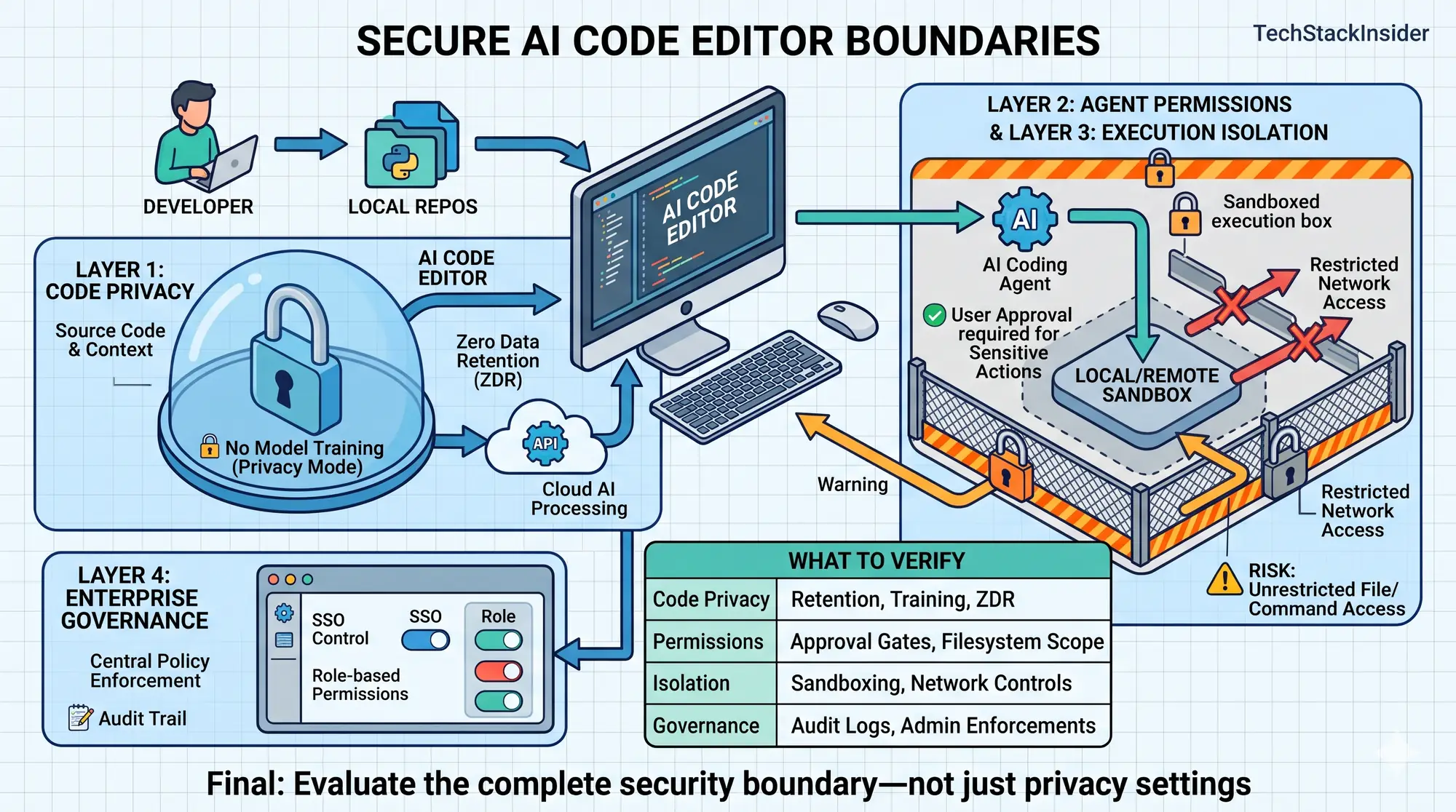
Most Secure AI Code Editors: Privacy, Permissions, and Enterprise Controls Compared
Compare AI code editors by code privacy, agent permissions, sandboxing, network controls, and enterprise governance to choose the right security fit.
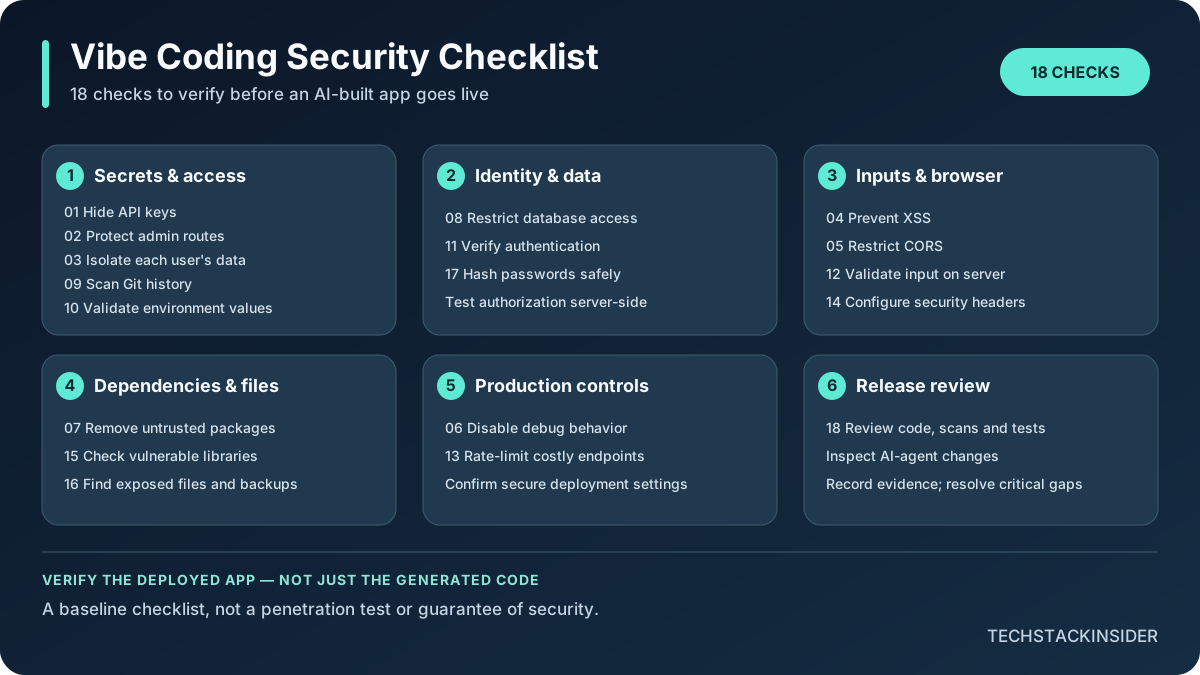
Vibe Coding Security Checklist: 18 Checks Before Launch
Use 18 practical checks to review an AI-built app before launch, from exposed secrets and access-control flaws to dependencies, input handling, and production configuration.