Claude Code vs Cursor: Which AI Coding Agent Fits Your Repository Workflow? (2026)
Compare Claude Code vs Cursor for repository understanding, multi-file changes, testing, security, benchmark performance, and cost. Use practical evidence and a decision matrix to choose the right coding workflow.
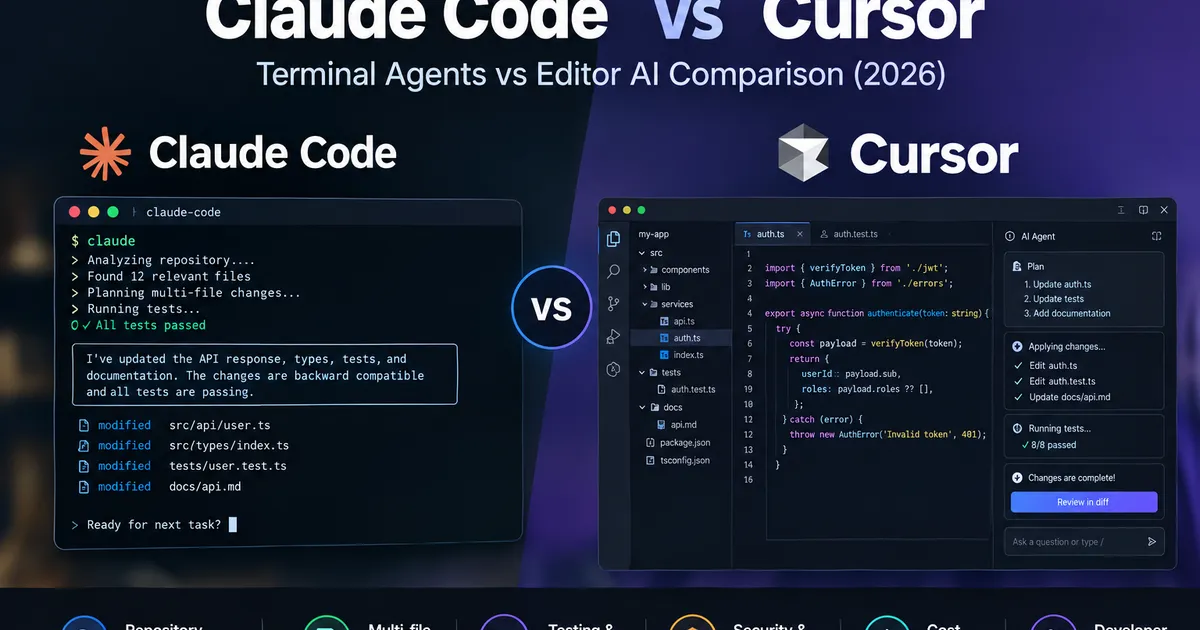
Choosing between Claude Code and Cursor is no longer simply a decision between a terminal and a code editor. Both products support increasingly capable agentic coding workflows, including repository exploration, multi-file editing, command execution, and software development tasks.
The more useful question is this: Which workflow helps your team deliver correct, reviewable code changes with the least total engineering effort?
Claude Code is built around delegating coding work to Claude through a terminal-oriented workflow, with supported IDE integrations. Cursor combines an AI-powered code editor with agents that can search a codebase, modify files, execute commands, and work through more complex tasks. Cursor also provides a command-line interface.
These overlapping capabilities make a simplistic feature checklist less useful. The right choice depends on how you explore a repository, review changes, run tests, manage permissions, and measure the cost of accepted work.
This comparison examines those differences and uses published benchmark data alongside a repeatable method for evaluating both tools on your own codebase.
Research note: Product capabilities and pricing can change. External benchmark results are attributed to their original publishers and are not TSI-run results. Published tests use particular models, configurations, and workloads; their scores should not be treated as universal product rankings.
Quick verdict: Claude Code vs Cursor
| Your requirement | Best starting point | Why |
|---|---|---|
| Work primarily inside an AI-powered editor | Cursor | The editor, code navigation, and agent workflow are integrated |
| Delegate repository tasks from a terminal | Claude Code | Its CLI-centered interaction is designed for task delegation |
| Explore a repository without immediately editing it | Either | Both offer ways to investigate code before making changes |
| Automate coding tasks from scripts or CI workflows | Either | Both document command-line workflows; validate your specific automation requirements |
| Review changes visually while coding | Cursor | Its editor-centered workflow keeps changes close to the development environment |
| Use Claude Code within an existing Cursor setup | Claude Code and Cursor | Claude Code supports integration with Cursor and other supported IDEs |
| Choose based on measured engineering productivity | Neither by default | Published results vary by workload, model, and evaluation method; test the tools against your own tasks |
The practical recommendation: Start with Cursor if the editor is the center of your daily workflow. Start with Claude Code if you prefer delegating substantial repository tasks through a terminal. If both workflows appear valuable, evaluate them together before paying for two overlapping toolchains.
Neither recommendation guarantees better code quality or faster delivery. Those outcomes depend on the task, model, repository, configuration, and review process.
1. What is the actual difference between Claude Code and Cursor?
The most useful distinction is their default interaction model—not whether one can access a terminal.
Claude Code: delegate work through a coding agent
Claude Code lets developers interact with Claude through a terminal and supported development environments. It can inspect project files, make changes, run commands, and support multi-step engineering tasks.
Typical use cases include:
- Understanding an unfamiliar repository before making changes.
- Tracing a defect across several modules.
- Implementing a feature that touches application code and tests.
- Refactoring shared interfaces.
- Running tests and iterating on a proposed fix.
- Automating repeatable coding tasks through non-interactive CLI usage.
This workflow can suit developers who prefer describing a task, reviewing the agent’s plan, and supervising its execution.
Official documentation: Claude Code documentation and CLI reference.
Cursor: work through an AI-powered development environment
Cursor combines code editing and agentic assistance within a development environment. Its agent can search the codebase, edit files, run terminal commands, and work through more complex development tasks.
Typical use cases include:
- Moving between code, explanations, and proposed edits.
- Reviewing changes in the editor before accepting them.
- Making coordinated changes across multiple files.
- Using project instructions to establish coding conventions.
- Exploring code before implementation.
- Handing off work to cloud agents where the selected plan and workflow support it.
Cursor also offers a CLI, including interactive and non-interactive modes. Therefore, terminal-based execution is not exclusive to Claude Code.
Official documentation: Cursor Agent overview and Cursor CLI.
Why this distinction matters
The interface changes how developers supervise an agent. It does not, by itself, determine how accurately the agent understands a repository or how many defects its changes introduce.
A terminal-first workflow may fit an engineer who delegates bounded tasks. An editor-centered workflow may fit someone who continuously navigates code and reviews changes while working.
Both workflows can overlap, so evaluate the actual tools and configurations rather than relying on product labels.
2. Capability comparison
The following matrix compares documented workflow characteristics and identifies where practical testing is still necessary.
| Capability | Claude Code | Cursor |
|---|---|---|
| Primary experience | Terminal-oriented agent with supported IDE integrations | AI-powered editor with agent workflows |
| Repository exploration | Supported | Supported |
| Multi-file editing | Supported | Supported |
| Terminal command execution | Supported | Supported |
| Interactive task delegation | Supported | Supported |
| Non-interactive automation | CLI and programmatic workflows | CLI and print-mode workflows |
| IDE integration | Supported IDE integrations, including Cursor | Native editor experience |
| Plan or read-only exploration | Available through supported interaction modes | Ask and Plan modes are documented |
| Visual change review | Depends on terminal or IDE workflow | Integrated editor and diff review |
| Cloud-based agent workflows | Depends on selected configuration and integrations | Cloud Agent workflows are documented |
| Permissions and execution controls | Configurable permissions and execution modes | Configurable approval and sandbox controls |
| Verified universal coding winner | Not established | Not established |
Sources: Claude Code documentation, Claude Code permissions, Cursor Agent, and Cursor CLI.
A feature being documented does not mean it performs equally well in both products. It also does not mean every feature is available on every plan or configuration.
For example, the ability to edit ten files is not evidence that the resulting changes are correct. A meaningful evaluation must examine the changes, run tests, and measure the amount of human correction required.
3. Which tool is better for repository understanding?
Repository understanding means more than locating a function or retrieving a file.
An agent working on an established application may need to understand:
- Where a feature is implemented.
- Which modules depend on it.
- How data moves between the frontend, API, and database.
- Which tests define expected behavior.
- Which configuration files affect execution.
- Which architectural constraints must remain unchanged.
Both products can assist with these tasks. Their actual effectiveness depends on the selected model, available context, repository structure, project instructions, and task definition.
A practical repository-understanding test
Give both tools the same repository snapshot and ask:
Trace the authentication flow from the entry point through the API and session handling. Identify the relevant files, describe the dependencies, and explain where authorization is enforced. Do not modify any files.
Evaluate each response against a manually verified reference.
| Evaluation measure | What to record |
|---|---|
| Relevant files | Correct files identified out of the verified set |
| Dependency accuracy | Correct relationships between components |
| Security accuracy | Correct identification of authentication and authorization boundaries |
| Unsupported claims | Incorrect or unverified statements |
| Time to useful answer | Time until the explanation is accurate enough to act on |
Do not reward an agent merely for listing many files. A concise explanation that identifies the correct control points is more useful than a long answer containing irrelevant paths.
Repeat the task several times if you intend to publish your own benchmark. Repository exploration can vary between runs.
4. Multi-file editing: which agent makes safer changes?
A typical engineering task may require changes to an implementation file, a shared type, a test, and documentation.
The challenge is not producing edits quickly. It is preserving the intended behavior across all affected components.
Use one identical feature task
For example:
Add a new optional field to an existing API response. Update the relevant types, implementation, tests, and documentation. Preserve backward compatibility. Run the relevant tests and explain any failures. Do not change unrelated files.
Before starting:
- Create separate working copies from the same commit.
- Confirm the baseline tests pass.
- Use the same acceptance criteria.
- Record the selected model and relevant configuration.
- Review the final diff and test results.
Score each tool on:
- Correctness of the implementation.
- Completeness of the requested changes.
- Unnecessary modifications.
- Regression test results.
- Quality of the explanation and final handoff.
- Human effort required to make the result acceptable.
A tool that produces more code but introduces a regression may be less useful than one that produces a smaller, correct change.
5. The TSI Repository Agent Evaluation Protocol
At TechStackInsider (TSI), technology comparisons are designed to help developers make informed decisions based on real-world requirements, not just feature lists or isolated benchmark scores. For AI coding agents, this means evaluating how well a tool understands a repository, implements changes across multiple files, verifies its work through testing, and balances productivity against cost and developer oversight.
The TSI Repository Agent Evaluation Protocol provides a consistent framework for assessing these capabilities. It is a proposed evaluation method, not a claim that TSI has independently tested Claude Code and Cursor.
A meaningful comparison should measure the complete engineering outcome—not just how quickly an agent responds. The protocol can be applied to a JavaScript application, Python service, TypeScript monorepo, or another representative codebase, using consistent tasks and acceptance criteria to assess implementation quality, test results, regressions, human correction, and cost.
The five-task test suite
| Task | Test objective | Acceptance condition |
|---|---|---|
| 1. Repository mapping | Trace a feature across modules | All critical dependencies are identified correctly |
| 2. Bug fixing | Resolve a seeded defect | The target test passes and no new regression appears |
| 3. Feature implementation | Change implementation, tests, and documentation | All required behavior and tests pass |
| 4. Refactoring | Change a shared interface | Existing callers remain compatible |
| 5. Code review | Inspect a deliberately flawed change | Known defects and relevant risks are identified |
Use realistic tasks from your own repository rather than relying exclusively on synthetic coding exercises.
For each task, define acceptance criteria before testing either product. Otherwise, the evaluator may unconsciously favor the tool whose output they prefer.
What published benchmark data shows
AIMultiple’s AI Coding Benchmark: Claude Code vs Cursor, updated October 9, 2026, tested coding agents across 10 full-stack web development tasks. Its evaluation used approximately 600 atomic validation checks per agent and more than 9,600 automated test executions across the study.
In this benchmark, the CLI tools used Claude Sonnet 4.6, while the AI code editors used their native Claude Opus 4.6 configuration. The results therefore compare configured agent products, not the two tools with an identical underlying model.
| AIMultiple benchmark measure | Claude Code | Cursor |
|---|---|---|
| Backend score | 0.75 | 0.64 |
| UI score | 0.88 | 1.00 |
| Combined score | 0.789 | 0.751 |
| Average completion time | About 554 seconds | Not reported |
| Estimated benchmark execution cost | About $1.83 | About $27.90 |
Source: Sedat Dogan and Åževval Alper, AIMultiple AI Coding Benchmark, updated October 9, 2026. The scores and costs above are from that publisher’s reported benchmark. They are not TSI test results.
The result is useful, but it requires context:
- Claude Code scored higher on the combined and backend measures in this workload.
- Cursor recorded the higher UI score.
- The products used different Claude model versions in the evaluation, so the results do not isolate the effect of the agent framework.
- AIMultiple did not report an average completion time for the editor tools because their workflows could not be fully automated in the same way.
- The cost figures estimate benchmark execution costs, not monthly subscription prices or the total cost of employing a developer.
The defensible conclusion is that Claude Code performed better on the combined score in this particular test setup, while Cursor scored higher on UI validation. The results do not establish that Claude Code is universally more accurate, cheaper in every workflow, or faster for every developer.
A second source: task type changes the outcome
A separate research paper, Comparing AI Coding Agents: A Task-Stratified Analysis of Pull Request Acceptance, analyzed 7,156 pull requests across five coding agents.
The authors reported that task category materially affected acceptance outcomes. Claude Code led the reported results for documentation tasks at 92.3% and feature tasks at 72.6%, while Cursor led the reported fix-task results at 80.4%.
These figures come from a different study and should not be merged with AIMultiple’s benchmark scores. Pull-request acceptance and automated task validation are different measurements, and the results may reflect different datasets, versions, and evaluation conditions.
Taken together, the studies reinforce a practical point: a single overall score does not tell you which tool will work best for your repository and task mix.
Record these measurements in your own evaluation
| Metric | Definition |
|---|---|
| First-pass acceptance rate | Tasks accepted without corrective retries ÷ tasks attempted |
| Final acceptance rate | Tasks accepted after permitted retries ÷ tasks attempted |
| Regression rate | Tasks that introduce regressions ÷ completed implementation tasks |
| Human correction time | Time spent fixing or completing the agent’s work |
| Total task time | Agent execution time plus correction and review time |
| Cost per accepted change | Attributable cost divided by accepted changes |
For implementation tasks, run the same tests against both outputs. For code review, use known defects and score findings against a verified reference.
For a defensible benchmark, publish the test environment, task prompts, repository conditions, product and model versions, number of trials, evaluation criteria, and observed results.
6. Cost comparison: subscription price is not total engineering cost
The cost of using an AI coding agent has several components:
- Subscription or seat fees.
- Model usage and any additional usage charges.
- Developer time spent writing instructions and correcting changes.
- Review and regression testing.
- Infrastructure or automation costs for any additional services.
A lower subscription price does not necessarily produce a lower cost per accepted change.
Current subscription prices to compare
The following prices are in US dollars and were checked against the official pricing pages on October 15, 2026.
| Product or plan | Published price | What to examine |
|---|---|---|
| Claude Pro | $20/month with monthly billing; $17/month effective price with annual billing | Claude Code access, usage limits, and billing terms |
| Claude Max 5x | $100/month | Higher usage allowance and applicable limits |
| Claude Max 20x | $200/month | Higher usage allowance and applicable limits |
| Cursor Free | $0/month | Limited agent usage and feature availability |
| Cursor Pro | $20/month | Included usage and model access |
| Cursor Pro+ | $60/month | Higher usage allowance and model limits |
| Cursor Ultra | $200/month | Higher usage allowance and plan-specific features |
Official pricing sources: Anthropic pricing, Claude pricing, and Cursor models and pricing.
Claude Code can be used through eligible Claude subscription arrangements and API-based billing. Cursor plan allowances and third-party model charges depend on the selected plan and model. Check the official terms for the configuration you intend to use.
Pricing disclaimer: Prices, subscription plans, usage allowances, model availability, and additional usage charges may change at any time. The prices shown in this article were checked on October 15, 2026, and are provided for informational purposes only. Actual costs may vary depending on your selected plan, usage, billing terms, taxes, and applicable overage charges. Prices and features may change after publication. Always verify the latest details on the official Anthropic pricing page and Cursor pricing page before purchasing or making a budgeting decision.
What the benchmark cost numbers mean
AIMultiple estimated the cost of executing its benchmark at approximately $1.83 for Claude Code and $27.90 for Cursor. These figures are the publisher’s estimates for the benchmark run and should not be interpreted as a monthly subscription comparison.
The cost gap in that test is influenced by the selected models, agent configuration, and evaluation methodology. It does not establish that a typical Cursor subscriber will spend $27.90 per task or that Claude Code will always cost $1.83 per task.
Calculate cost per accepted change
Cost per accepted change = Total attributable cost ÷ Number of accepted changes
For example, suppose a hypothetical test records $120 in attributable agent costs and 12 accepted changes. The measured agent cost is $10 per accepted change.
That is an illustrative calculation, not a benchmark result for either product. A complete business comparison should also report developer and reviewer time separately, then calculate total cost using an agreed hourly labor rate.
To avoid misleading results, document whether subscription costs are allocated across all work performed or only the benchmark tasks. Do not mix monthly subscription fees with API charges without explaining the accounting method.
7. Security, permissions, and human control
Repository agents can read sensitive files, modify application logic, execute commands, and interact with external services depending on their configuration.
The relevant question is not which product claims to be safer. It is whether the selected workflow enforces the controls your project requires.
Security review checklist
Before allowing either agent to work on a production repository, verify the following:
- Repository and workspace permissions are appropriately restricted.
- Secrets, production credentials, and sensitive environment files are protected.
- Shell commands and destructive operations require the appropriate approvals.
- Network access is restricted when the task does not require it.
- Changes are reviewed before merging.
- Tests and static analysis run independently of the agent’s own claims.
- The team understands how prompts, code context, and telemetry are handled.
- Logs and audit requirements match organizational policy.
Claude Code documents configurable permissions and execution modes in its permissions documentation. Cursor documents security and execution controls in its Agent security documentation.
The exact behavior depends on the operating environment, product version, and configuration. Do not assume that a default setting provides every control required for a sensitive repository.
For production systems, prefer isolated development environments, least-privilege credentials, protected branches, and independent verification. Neither agent should be treated as a replacement for secure engineering practices.
8. Should a team use Claude Code and Cursor together?
Using both can make sense when the team values the editor experience and also has tasks that benefit from a separate CLI-centered workflow.
A possible division of responsibilities is:
Cursor for interactive development
- Navigate and understand the code while working.
- Make targeted changes and inspect diffs.
- Iterate on implementation details.
- Review suggestions before accepting them.
Claude Code for delegated repository tasks
- Trace cross-module dependencies.
- Investigate a bounded defect.
- Implement a change with explicit acceptance criteria.
- Run a verification sequence and report the results.
This is a suggested workflow, not a claim that one tool is categorically better at those tasks. Cursor can also perform repository-wide work, and Claude Code can be used through supported IDE integrations.
The hidden cost of a dual-tool workflow
Using both introduces potential overhead:
- Two sets of configuration and project instructions.
- Different interaction patterns and approval settings.
- Possible duplication of context and work.
- Separate usage limits and billing considerations.
- Additional time to reconcile changes and review results.
Avoid letting both agents modify the same working tree concurrently unless you have an explicit coordination and conflict-resolution process.
Start by assigning each tool a distinct task on a separate branch or working copy. Compare the combined workflow with using only one tool. Keep both only if the measured benefit exceeds the added cost and complexity.
9. Decision matrix by developer and team profile
| Profile | Recommended starting point | Reason |
|---|---|---|
| Solo developer who prefers an integrated editor | Cursor | Keeps editing, navigation, and agent interaction together |
| Senior developer who frequently delegates terminal tasks | Claude Code | Provides a direct CLI-oriented task workflow |
| Developer maintaining a large, unfamiliar codebase | Test both | Repository complexity alone does not establish a winner |
| Team with strict review and change-control requirements | Whichever passes the team’s control tests | Permissions, auditability, and review policy are decisive |
| Engineering team with CI-driven automation | Test both CLI workflows | Scriptability, reliability, and reproducibility matter more than interface preference |
| Team already standardized on Cursor | Trial Claude Code on selected tasks | Adoption should be justified by incremental value |
| Team already standardized on Claude Code | Trial Cursor for interactive work | Validate whether editor integration reduces real development effort |
Treat these as starting recommendations, not universal rankings.
The final decision should depend on measured task success, developer preference, total cost, security requirements, and compatibility with existing engineering practices.
10. A practical seven-day evaluation plan
A small, structured trial is more useful than switching an entire team based on a few impressive demonstrations.
Day 1 — Establish the baseline
Choose a representative repository, identify recurring engineering tasks, and confirm the baseline tests pass.
Day 2 — Test repository understanding
Ask both tools to trace a feature and its dependencies without editing files. Verify their explanations against the code.
Day 3 — Test bug fixing
Use a known defect with a reproducible test. Record the time to a correct fix, retries, and regressions.
Day 4 — Test multi-file implementation
Give both tools the same bounded feature request and acceptance criteria.
Day 5 — Test review and security controls
Evaluate known code-review findings, permission behavior, command approvals, and the ability to inspect changes.
Day 6 — Measure cost and developer effort
Record actual usage, subscription allocation, correction time, and review time.
Day 7 — Make the decision
Compare results against predefined acceptance thresholds. Choose one tool, retain both for distinct workflows, or extend the trial if the evidence is inconclusive.
Keep the test scope small enough that developers can review every change. A week of structured testing is a practical starting point, not a guarantee of statistical certainty.
11. Final verdict: Claude Code vs Cursor
Claude Code and Cursor increasingly overlap in what they can do. Both support repository exploration, code modification, command execution, and agent-assisted development. Cursor’s CLI also makes the distinction between a terminal agent and an AI-powered editor less absolute.
Published research offers useful signals, but the results depend on the task, model, configuration, and evaluation method. AIMultiple’s benchmark favored Claude Code on its combined score while Cursor scored higher on UI validation. A separate pull-request study found that the strongest results varied by task category. Neither study proves a universal winner for every engineering team.
Choose Cursor when its integrated development experience matches the way you already work. Choose Claude Code when its terminal-oriented delegation model fits your tasks and preferences. Consider both when the team has distinct interactive and delegated workflows that justify the additional complexity.
For teams making a serious adoption decision, the most important metric is not lines of code generated, files edited, or a single impressive task.
It is the cost and time required to produce a correct, tested, reviewable change that the team is willing to accept.
Run the same tasks on the same repository, record the results, and let the evidence determine which workflow belongs in your engineering stack.
Sources and further reading
- Claude Code documentation
- Claude Code permissions
- Anthropic pricing
- Cursor Agent overview
- Cursor CLI
- Cursor Agent security
- Cursor models and pricing
- AIMultiple: AI Coding Benchmark — Claude Code vs Cursor, updated October 9, 2026
- Pinna et al.: Comparing AI Coding Agents — A Task-Stratified Analysis of Pull Request Acceptance
Editorial note: Product documentation, plan availability, prices, and usage terms should be rechecked immediately before publication. External benchmark figures should always retain their original source attribution and methodology caveats.
Frequently Asked Questions
Is Claude Code better than Cursor?
Neither tool is universally better. Published benchmark results vary by task, model, and evaluation method. Claude Code may suit terminal-oriented workflows and repository-level tasks, while Cursor may suit developers who prefer an AI-native editor. Test both against representative work in your own repository.
What is the main difference between Claude Code and Cursor?
Claude Code is primarily a coding agent used through terminal-oriented workflows and supported integrations. Cursor is an AI-powered code editor that integrates AI assistance into the editing environment. Their capabilities overlap, but their interaction models and workflows differ.
Which is cheaper, Claude Code or Cursor?
The answer depends on the subscription, usage allowance, model selection, and billing method. Compare current official USD pricing and actual usage costs before deciding. Published benchmark execution costs are not equivalent to monthly subscription prices.
Which tool is better for large codebases?
Both can work with multi-file repositories, but performance depends on context selection, task complexity, model choice, repository structure, and available tools. Evaluate each with a realistic task that requires tracing dependencies, editing several files, running tests, and reviewing the resulting diff.
Can Claude Code or Cursor safely make changes without human review?
Neither should be treated as a substitute for review. Generated changes can introduce incorrect assumptions, regressions, security vulnerabilities, or inadequate tests. Review diffs, run relevant tests, inspect dependencies, and retain human approval for consequential changes.
Do Claude Code vs Cursor benchmark results prove one tool is better?
No. Results are specific to the tested tasks, models, versions, prompts, and scoring methods. Read the source methodology and limitations, and use published benchmarks alongside your own repository-level evaluation.
Related Articles
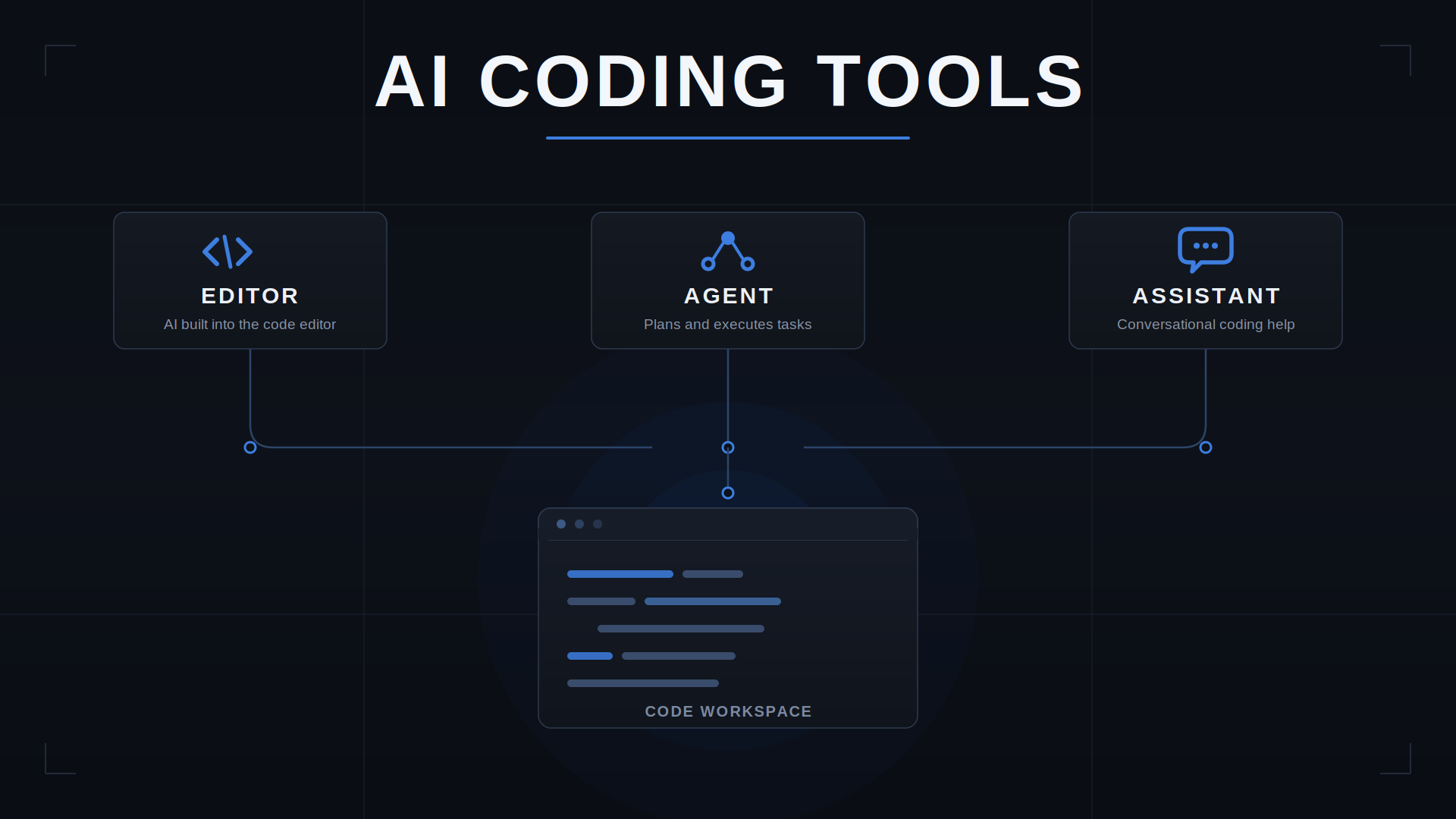
How to Choose an AI Coding Tool for Your Development Workflow
Compare AI coding tools by repository context, code quality, agent autonomy, testing, security, and workflow fit. Learn how to evaluate coding tools using real development tasks.
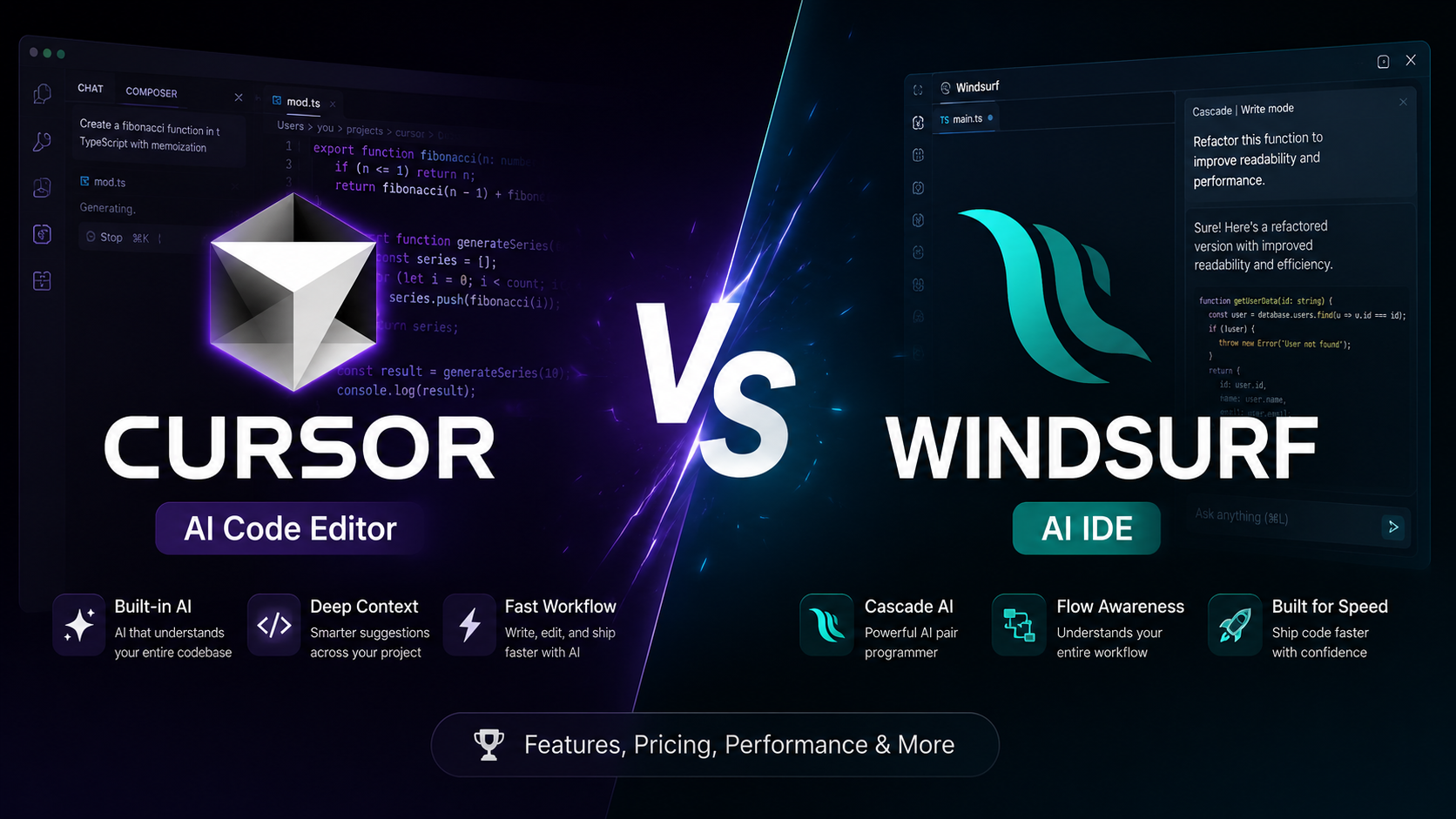
Cursor vs Windsurf: Which AI Code Editor Fits Your Workflow?
Cursor vs Windsurf compared for AI coding, agent workflows, codebase context, autocomplete, pricing, and everyday development. See which fits your workflow before you choose.
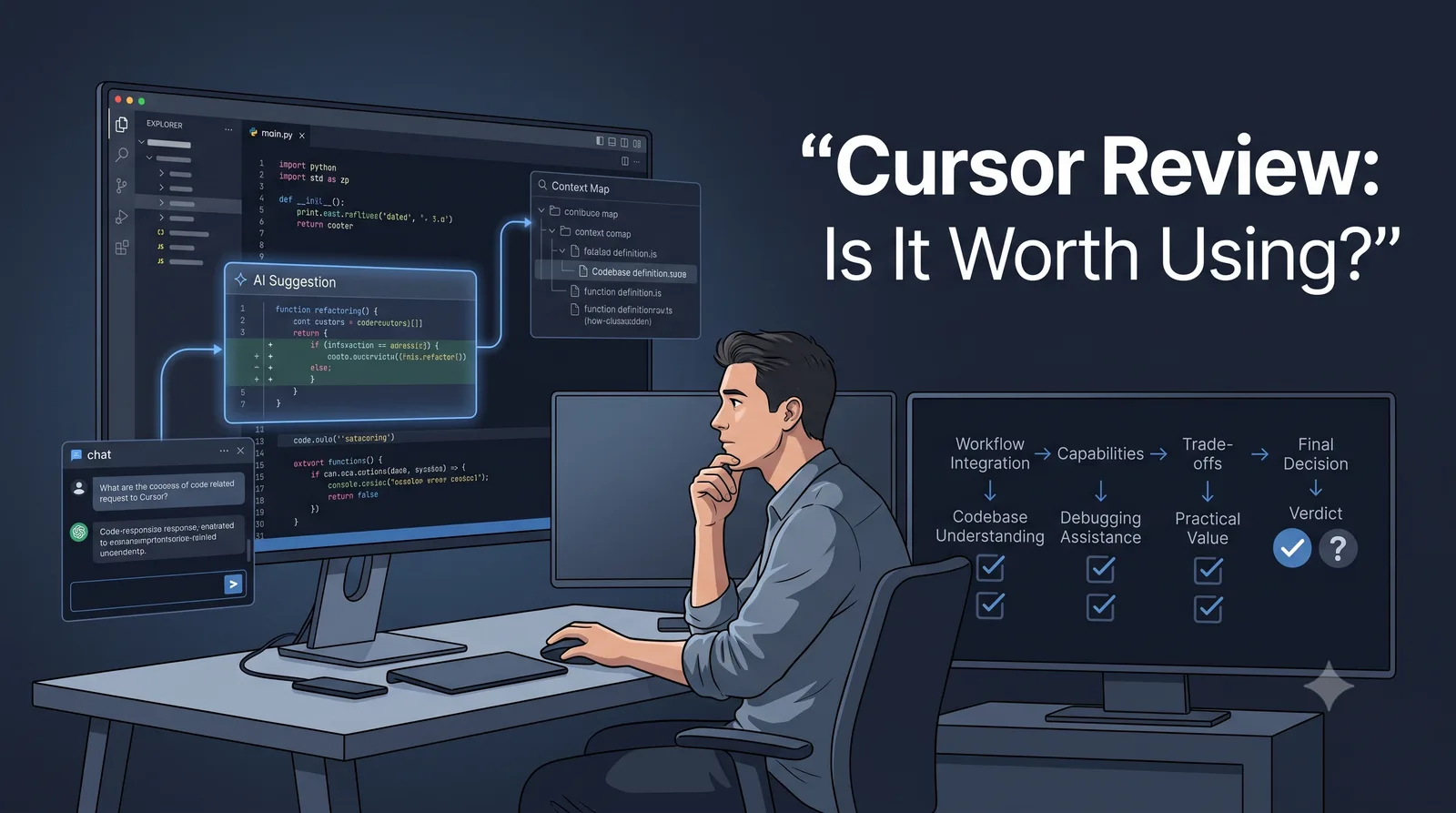
Cursor Review: Is the AI Editor a Fit for Your Workflow?
A practical Cursor review for developers: current editor and agent workflows, privacy and permissions, pricing, trade-offs, and a repeatable way to evaluate it in your own repository.
How to Use AI Coding Agents Safely on an Existing Codebase
Learn how to use AI coding agents on an existing codebase with scoped tasks, risk-based permissions, independent tests, diff reviews, and safe rollback.